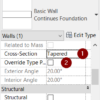
One enhancement to highlight in Revit 2022 is the tapered wall. Let’s see how to use it and see a couple more enhancements in walls.
What You Need to Know Before Installing Autodesk 2022 Products

Many of Autodesk 2022 are already released. The installer is different from the previous installer. To avoid a headache, let’s read this first.
What’s New in AutoCAD 2022?

What’s new in AutoCAD 2022? Is there any new feature that will be useful for you?
Check this post and the video covering what’s new in AutoCAD 2022!
Dynamo Missing Package Tracking
Since version 2.3. Dynamo has the ability to trace a missing package from a Dynamo script. See how it works here.
Why My Stair is Cut in My Revit Callout?
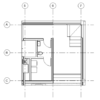
If you find some objects don’t appear correctly in your Callout view, you may need to check the Callout type. Especially when you create a Callout in your floor plan.
3 Ways to Add Symbols in Revit
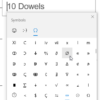
Engineering drawings require symbols or special characters that are not available on a standard keyboard. There are several ways (we list 3) to make the symbols. You can choose the most convenient way for you.
Restore the Revit UI Layout with the XML file
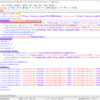
Do you need to restore your Revit UI setting? Or you need to keep different settings for different purposes? You can use this XML file.
Autodesk Docs Extension for AutoCAD
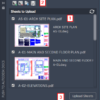
This add-in to allow you easily publish your AutoCAD drawing as PDF to BIM 360 Docs. No need to plot to PDF first, then upload the file for cloud collaboration!
- « Previous Page
- 1
- …
- 7
- 8
- 9
- 10
- 11
- …
- 105
- Next Page »


