• Home
  • Training Books
  • Subscribe to Our Email Newsletter
  • About
    • Contributors
    • Feedback
    • Contact
    • Privacy policy
    • Cookie Policy
  • Bahasa Indonesia

CADnotes

CAD Tutorials and Best Practices for professionals and students

  • Featured
  • AutoCAD
    • AutoLISP
  • Revit
    • Revit Architecture Basic
    • Revit MEP Basic Tutorial
  • Inventor
  • MicroStation
    • MicroStation Basic Tutorial

How to: add custom pattern to AutoCAD

April 18, 2012 by Edwin Prakoso 21 Comments

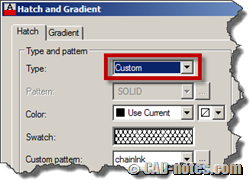
You can use your own AutoCAD pattern/hatch by embedding the pattern in acad.pat or add the pattern file into the support folder.

What’s new in AutoCAD 2013: Interface
April 17, 2012 by Edwin Prakoso 3 Comments

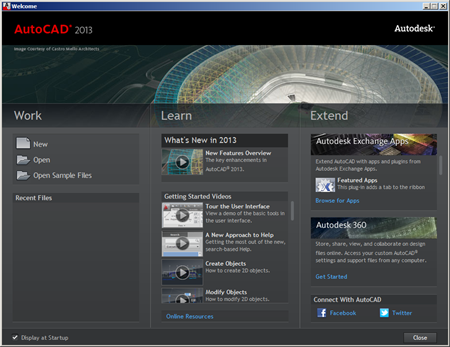
See what are new features in AutoCAD 2013. In this article we cover interface enhancements. Enjoy the sleek command line!

Another AutoCAD accuracy issue problem
April 16, 2012 by Edwin Prakoso 2 Comments

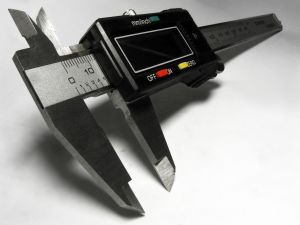
This is another sample of AutoCAD accuracy problem. You can prevent it by simply draw your objects closer to origin.

Load AutoCAD with defined profile and template

April 13, 2012 by Edwin Prakoso 2 Comments

Do you need to work with different customization and templates? You can load partial customization at startup based on your task by loading different profile. Find out how you can do it with startup switch.

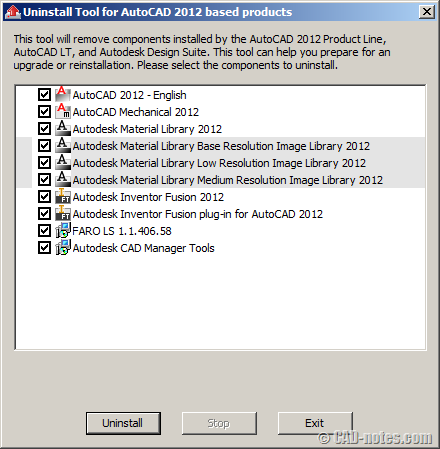
Uninstall tool for AutoCAD and Autodesk Design Suite
April 3, 2012 by Edwin Prakoso 3 Comments

It’s time to upgrade to 2013! If you haven’t uninstall your old AutoCAD or Autodesk Design Suite 2012, try this tool to uninstall all products automatically.

AutoCAD customization: 5 articles to learn about CUI

March 26, 2012 by Edwin Prakoso 1 Comment

AutoCAD CUI customization roundup. If you want to customize AutoCAD interface, here you can learn how you can create partial customization file, create command, working with ribbon, toolbar and menu, and more cool things!

Exploring AutoCAD CUI: 5 more things you can do with CUI (part 5)

March 21, 2012 by Edwin Prakoso 8 Comments

AutoCAD CUI is not only about creating command and place them to ribbon/ toolbar. You can do cool things like: define shortcut, rollover tool tips and more! There are 5 cool things listed here!

Exploring AutoCAD CUI: Working with toolbar and menu (part 4)

March 12, 2012 by Edwin Prakoso 2 Comments

In this 4th CUI tutorial, we learn how to create toolbar and menu. We will learn how to place commands, and learn about menu structure. And did you miss our tutorial to create contextual menu in the past?

  • « Previous Page
  • 1
  • …
  • 54
  • 55
  • 56
  • 57
  • 58
  • …
  • 105
  • Next Page »

Featured

15 Ways to Access AutoCAD commands

What is the fastest way to use AutoCAD commands? It depends, there are many ways to activate AutoCAD commands. One may faster than the other. So let’s see different ways to activate AutoCAD commands here!

Recent Articles

  • AI-Powered Rendering Now Available in Forma Board
  • Autodesk Forma Is Not The New Name For ACC
  • Placing Views on Sheet Efficiently with Saved Position

Advertisement

New on CADnotes

  • AI-Powered Rendering Now Available in Forma Board
  • Autodesk Forma Is Not The New Name For ACC
  • Placing Views on Sheet Efficiently with Saved Position
  • Autodesk Forma: One Platform to Rule the AEC Lifecycle
  • Accessing Autodesk Docs Files from Windows Explorer

Meet the Authors

avatar for
avatar for
avatar for
avatar for
avatar for
avatar for

Get Connected

CADnotes on FacebookCADnotes on InstagramCADnotes on TwitterCADnotes on YouTube

© 2009 – 2026 CADnotes · Feedback · Privacy Policy · Become an affiliate