• Home
  • Training Books
  • Subscribe to Our Email Newsletter
  • About
    • Contributors
    • Feedback
    • Contact
    • Privacy policy
    • Cookie Policy
  • Bahasa Indonesia

CADnotes

CAD Tutorials and Best Practices for professionals and students

  • Featured
  • AutoCAD
    • AutoLISP
  • Revit
    • Revit Architecture Basic
    • Revit MEP Basic Tutorial
  • Inventor
  • MicroStation
    • MicroStation Basic Tutorial

How to: add more fonts for AutoCAD

October 16, 2012 by Edwin Prakoso 8 Comments

Do you need to install more fonts to annotate your AutoCAD drawing? Do you feel standard fonts are not enough? You can see how you can install more fonts in this tip!

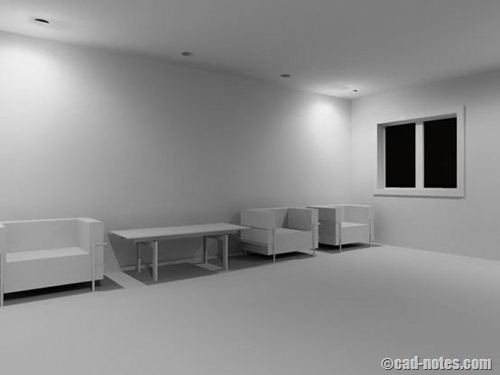
AutoCAD rendering with artificial lights
October 11, 2012 by Edwin Prakoso 6 Comments

Do you want to create photorealistic AutoCAD rendering with artificial lights? See how you can do it quickly and easily here!

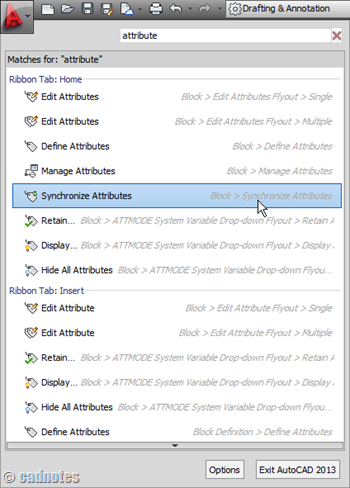
Search command in AutoCAD application menu
October 9, 2012 by Edwin Prakoso 1 Comment

Are you looking for a command in AutoCAD? Forget the command name? You can find related command by searching it based on keywords!

Autodesk Official Training Guides: recommended books for learning
September 26, 2012 by Edwin Prakoso 1 Comment

Looking for books to help you learn your Autodesk software? We recommend you Autodesk Official Training Guides! You have a chance to get them for free before 30 September 2012!

Adding AIA standard layers with LISP

September 20, 2012 by Edwin Prakoso 4 Comments

If you want to implement AIA standard layers, this is an AutoLISP that will do that. You can add hundreds of layers in few seconds!

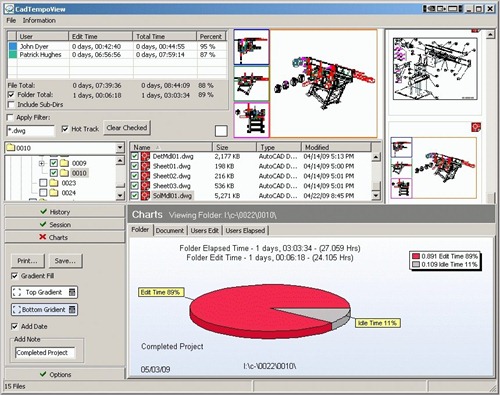
CadTempo: Automatic time tracking tools for CAD users
September 19, 2012 by Edwin Prakoso 1 Comment

Do you need to track time of your AutoCAD users? CadTempo can do it automatically. It works for other CAD software too!

Do you need to see detailed DWG properties in Windows Explorer?

September 18, 2012 by Edwin Prakoso Leave a Comment

Do you need to find a file with specific properties between hundreds of drawings? Or just want to quickly see properties without opening it? You can do it with DWG column!

AutoCAD 2013 online help update

September 16, 2012 by Edwin Prakoso 2 Comments

Autodesk just updated online help files. There is new material for new and occasional users to: the hitchhiker’s guide to AutoCAD.

  • « Previous Page
  • 1
  • …
  • 48
  • 49
  • 50
  • 51
  • 52
  • …
  • 104
  • Next Page »

Featured

How to add dimensions in Revit 3D view

You can create a 3D view with dimension in Revit. Using visual effects on this view will make it a stunning image for your presentation!

Recent Articles

  • Accessing Autodesk Docs Files from Windows Explorer
  • The Evolution of BIM: From 3D Models to Information Management
  • The Misconception of CAD to BIM

Advertisement

New on CADnotes

  • Accessing Autodesk Docs Files from Windows Explorer
  • The Evolution of BIM: From 3D Models to Information Management
  • The Misconception of CAD to BIM
  • Revit Pattern Alignment
  • Why BIM Dimensions (3D, 4D, 5D) Are No Longer Relevant

Meet the Authors

avatar for
avatar for
avatar for
avatar for
avatar for
avatar for

Get Connected

CADnotes on FacebookCADnotes on InstagramCADnotes on TwitterCADnotes on YouTube

© 2009 – 2026 CADnotes · Feedback · Privacy Policy · Become an affiliate