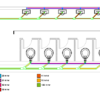
Revit has several tools to check your model easier. You can easily find disconnects, check the flow, pipe pressure loss, and check it by a color scheme. The tools are very easy to use but give significant help. Let’s use the tools!
AutoCAD Basic: Using Alternate Units in Dimension
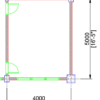
Sometimes we need to show a different unit in our drawing. We can do that by using alternate units in the dimension style. We discuss it in this article.
The Layer Manager Doesn’t List All My Layers

If you see AutoCAD doesn’t list all of your layers, then you might want to check this. Layer filter or a system variable can cause that. Check the details here.
Revit MEP Basic: Creating Electrical System
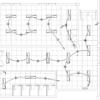
In this tutorial, we cover how to create switch and power system, draw arc wire then create panel schedule. We also cover a bit about panel schedule.
Revit MEP Basic: Placing Lighting Fixtures and Equipment

In this Revit MEP Basic Tutorial, you can learn how to place lighting fixtures, switches, and a panel. This is the first part of the electrical tutorial.
6 Things AutoCAD Command Line Can Do for You (Infographics)
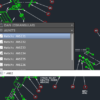
AutoCAD Command Line is the most important feature in AutoCAD. Veteran users can use two hands (one on the keyboard and the other using mouse) and draw very quickly. It is faster than relying on the GUI only.
The new users probably using GUI more than older users like me. They prefer the Ribbon and use the Command Line less.
In this post, you can see 6 things AutoCAD Command Line can do to make your life easier. You don’t have to use them all, but at least you know it can be done. If you think it’s good, use it. But if you don’t like it, leave it.
A360 Desktop Version Expiration Warning
Do you see a pop-up from Windows taskbar, mentioning that your A360 Desktop expires soon? What is A360 Desktop? What should I do with the warning? Find the answer in this article.
How to: Selectively Select Objects in Revit
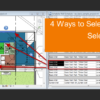
Revit model usually is not as complicated as an AutoCAD drawing. You can select objects easier before you modify it. However, in a complex model, you need a method to select multiple objects faster. You want to select them based on specific properties. For example, you want to select all walls with a specific type. Or you want to select all walls with a specific function.
We cover different methods in this article that you can use.
- « Previous Page
- 1
- …
- 16
- 17
- 18
- 19
- 20
- …
- 106
- Next Page »


