• Home
  • Training Books
  • Subscribe to Our Email Newsletter
  • About
    • Contributors
    • Feedback
    • Contact
    • Privacy policy
    • Cookie Policy
  • Bahasa Indonesia

CADnotes

CAD Tutorials and Best Practices for professionals and students

  • Featured
  • AutoCAD
    • AutoLISP
  • Revit
    • Revit Architecture Basic
    • Revit MEP Basic Tutorial
  • Inventor
  • MicroStation
    • MicroStation Basic Tutorial

Unable to Modify Parameters in Revit 2020 Steel Connection

July 30, 2019 by Edwin Prakoso Leave a Comment

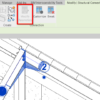
Modify parameter tool is greyed

Learn about the steel connection parameters changes in Revit 2020. Now they are type parameters, so you can’t modify it as an instance. But there are benefits that you can use with this new behavior!

AutoCAD 2020: What’s New?
April 17, 2019 by Edwin Prakoso 12 Comments

See the new features on AutoCAD 2020. The enhanced purge tool, block palette, measure tool, and more!

AutoCAD Toolsets Tutorial – Get the Best of your Toolsets!

March 21, 2019 by Edwin Prakoso 4 Comments

Autodesk released AutoCAD 2019 with seven toolsets. They are good software and can help your design process. But where can you can find the tutorials? It is a big step if you only use AutoCAD before!

Dynamo tutorial: Working with Parameters
March 14, 2019 by Edwin Prakoso Leave a Comment

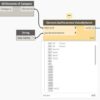
In this Dynamo tutorial, you create a script to change all view names to all caps. Imagine that you can change hundreds of view names in seconds!

Autodesk Multi-user Cloud Benefits Assignment

March 11, 2019 by Edwin Prakoso Leave a Comment

How many users can you assign to use Autodesk cloud services when you have a multi-user license? If you purchase 20 licenses, can you assign the services to 100 users?

Using the Dynamo Player
February 26, 2019 by Edwin Prakoso Leave a Comment

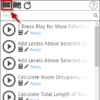
In this tutorial, you will learn how to prepare nodes in a Dynamo script for input in Dynamo Player. Then how to run the script on Dynamo Player.

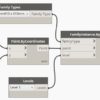
Placing an Element using Dynamo
February 13, 2019 by Edwin Prakoso 2 Comments

The Dynamo tutorial continues. We are going to complete the program to place an element at a specific coordinate and at a particular level.

Part 1: Introduction to Dynamo
February 6, 2019 by Edwin Prakoso Leave a Comment

This is the introduction to Dynamo to increase your productivity in Revit. There are more tutorials to come!

  • « Previous Page
  • 1
  • …
  • 11
  • 12
  • 13
  • 14
  • 15
  • …
  • 105
  • Next Page »

Featured

Working with XREF: Introduction

This is the first part of AutoCAD XREF tutorial series. Here we learn about the concept and benefits first.

Recent Articles

  • Placing Views on Sheet Efficiently with Saved Position
  • Autodesk Forma: One Platform to Rule the AEC Lifecycle
  • Accessing Autodesk Docs Files from Windows Explorer

Advertisement

New on CADnotes

  • Placing Views on Sheet Efficiently with Saved Position
  • Autodesk Forma: One Platform to Rule the AEC Lifecycle
  • Accessing Autodesk Docs Files from Windows Explorer
  • The Evolution of BIM: From 3D Models to Information Management
  • The Misconception of CAD to BIM

Meet the Authors

avatar for
avatar for
avatar for
avatar for
avatar for
avatar for

Get Connected

CADnotes on FacebookCADnotes on InstagramCADnotes on TwitterCADnotes on YouTube

© 2009 – 2026 CADnotes · Feedback · Privacy Policy · Become an affiliate