It’s inevitable when I teach Revit to AutoCAD users: they will compare and ask if they can do it in Revit. One of most popular question is, “I always use AutoCAD blocks for my typical design. So if there’s any changes, all of them that use the same definition will also updated. Can I can […]
Why I can’t Use Formula in xls Created by Data Extraction?
Have you used AutoCAD data extraction? This is a very handy tool to create a report about any data from your AutoCAD drawing. Some of my colleague choose to extract the drawings information to excel instead of directly to his drawing. They want to modify the values further, and using excel is easier (and faster). But […]
How to: Set a previous file version as default
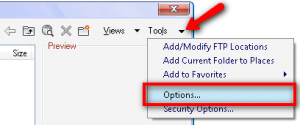
Do you work with your colleagues who use different versions of AutoCAD? If you need to set older version as default save, check this option.
Where is My Old AutoCAD Landscape?

Remember the old days, when we can add AutoCAD landscape objects like trees, cars, and people in our AutoCAD model? Since Autodesk decided to change the rendering engine from scanlines to mentalray, this feature is no longer available. But in the release comparison matrix, there is ‘entourage’ available. So where is it? It’s a separate […]
Creating Your Own Wall Type
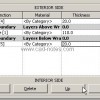
Let’s continue our tutorial. You have tried several wall types in the previous Revit tutorial. You might find out that even Revit has many types of walls, you need to define your own types. This is what we are going to do now, creating our own wall types! Type vs Instance Properties First thing first. […]
10+ Ways to Use AutoCAD Object Selection
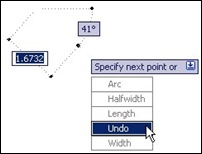
Do you think selecting objects in AutoCAD is difficult? We show you 10+ ways to do it in this article!
How to: Copy Objects to Different Level
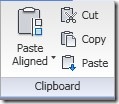
How can we copy Revit objects to different levels? You can do it using copy tools from Revit ribbon, of course. You can open elevation view, or even 3d view and simply copy them. But not all type of Revit objects can use this tool: have you tried to duplicate walls to different level using […]
How to: Cycle AutoCAD commands
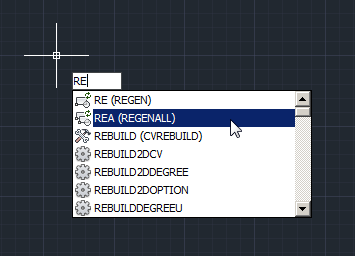
Don’t remember all AutoCAD commands in command line? Nobody does! But we can just type few characters and cycle through available commands!
- « Previous Page
- 1
- …
- 99
- 100
- 101
- 102
- 103
- …
- 105
- Next Page »


