• Home
  • Training Books
  • Subscribe to Our Email Newsletter
  • About
    • Contributors
    • Feedback
    • Contact
    • Privacy policy
    • Cookie Policy
  • Bahasa Indonesia

CADnotes

CAD Tutorials and Best Practices for professionals and students

  • Featured
  • AutoCAD
    • AutoLISP
  • Revit
    • Revit Architecture Basic
    • Revit MEP Basic Tutorial
  • Inventor
  • MicroStation
    • MicroStation Basic Tutorial

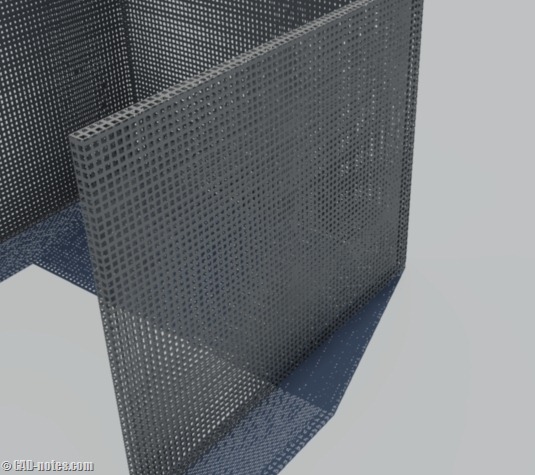
AutoCAD rendering tip: Using cutouts map for removing materials
April 8, 2011 by Edwin Prakoso 4 Comments

Do you need to create repetitive holes/cutouts in your AutoCAD rendering? Do you actually remove parts of the solids? You may want to try using cutouts map. Simpler and faster!

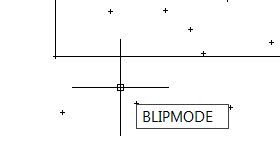
Control blipmode in AutoCAD 2012
April 7, 2011 by Edwin Prakoso 3 Comments

Have you tried to change BLIPMODE system variable in AutoCAD 2012? It’s not there anymore! So how can we turn it on/off?

AutoCAD 2012: NCOPY and OVERKILL are graduated from express tools
April 6, 2011 by Edwin Prakoso 3 Comments

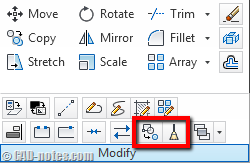
Two express tools are graduated and become AutoCAD and AutoCAD LT built-in command. Yes, AutoCAD LT users can use NCOPY and OVERKILL now!

MicroStation tip: change view background color and pointer size
April 5, 2011 by Edwin Prakoso 6 Comments

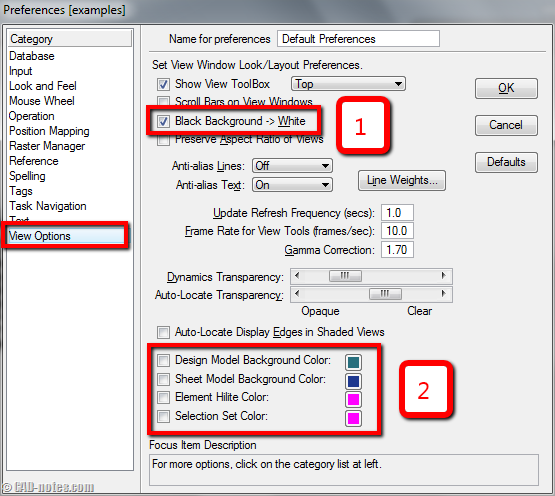
Do you want to change MicroStation view background? Or do you prefer to have full sized pointer/crosshair? See how you can do it in MicroStation here.

AutoCAD 2012: Inventor Fusion and AutoCAD WS plugin are now in the box

April 4, 2011 by Edwin Prakoso 2 Comments

Now we have two Autodesk products in AutoCAD box. Fusion extends the 3D modeling capabilities. AutoCAD WS allows you to collaborate with your partners online!

AutoCAD 2012: Object selection improvements

March 30, 2011 by Edwin Prakoso 3 Comments

Object selection in AutoCAD 2012 is also improved. There are several new enhancements to allow you select objects easier. So you can have more than 10 ways to select objects now. PICKDRAG and PICKAUTO There are two new variables in object selection. This may not how AutoCAD users usually do to select objects, but it […]

AutoCAD 2012 minor modification enhancement: grip and nudge

March 29, 2011 by Edwin Prakoso Leave a Comment

Here are more minor AutoCAD 2012 enhancement. Now we have more options for grips. New nudge command is also available.

MicroStation tip: Create automatic plot date in title block

March 25, 2011 by Edwin Prakoso 1 Comment

Need to show plot date information in title block? We can do that in MicroStation using pen table. See how you can do it here.

  • « Previous Page
  • 1
  • …
  • 66
  • 67
  • 68
  • 69
  • 70
  • …
  • 105
  • Next Page »

Featured

running man

10 Features to Boost Your AutoCAD Productivity

AutoCAD is much more than just drawing lines and arcs. It has many features that can actually boost your productivity. Here, we list top 10 features that becomes our favorite.

Recent Articles

  • AI-Powered Rendering Now Available in Forma Board
  • Autodesk Forma Is Not The New Name For ACC
  • Placing Views on Sheet Efficiently with Saved Position

Advertisement

New on CADnotes

  • AI-Powered Rendering Now Available in Forma Board
  • Autodesk Forma Is Not The New Name For ACC
  • Placing Views on Sheet Efficiently with Saved Position
  • Autodesk Forma: One Platform to Rule the AEC Lifecycle
  • Accessing Autodesk Docs Files from Windows Explorer

Meet the Authors

avatar for
avatar for
avatar for
avatar for
avatar for
avatar for

Get Connected

CADnotes on FacebookCADnotes on InstagramCADnotes on TwitterCADnotes on YouTube

© 2009 – 2026 CADnotes · Feedback · Privacy Policy · Become an affiliate