
• Home
  • Training Books
  • Subscribe to Our Email Newsletter
  • About
    • Contributors
    • Feedback
    • Contact
    • Privacy policy
    • Cookie Policy
  • Bahasa Indonesia

CADnotes

CAD Tutorials and Best Practices for professionals and students

  • Featured
  • AutoCAD
    • AutoLISP
  • Revit
    • Revit Architecture Basic
    • Revit MEP Basic Tutorial
  • Inventor
  • MicroStation
    • MicroStation Basic Tutorial

How to Speed up AutoCAD: optimize your computer (part 1)

December 5, 2012 by Edwin Prakoso 9 Comments

Do you feel your old computer runs AutoCAD slowly? Let’s optimize your computer to have better performance! This is the 1st part: optimizing computer.

How to: fix my AutoCAD drawing to correct drawing unit

November 27, 2012 by Edwin Prakoso 6 Comments

Start AutoCAD drawing with wrong template? You will have many problems when working with wrong template. Need to fix the problem?

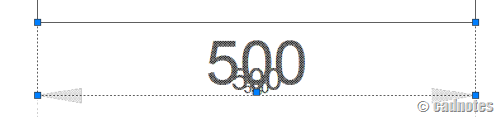
Disable ghost/dimmed annotation during annotation scaling selection
November 15, 2012 by Edwin Prakoso 1 Comment

Feel disturbed by dimmed/ghosting annotation when selecting annotation scaling object? Disable it by changing this variable!

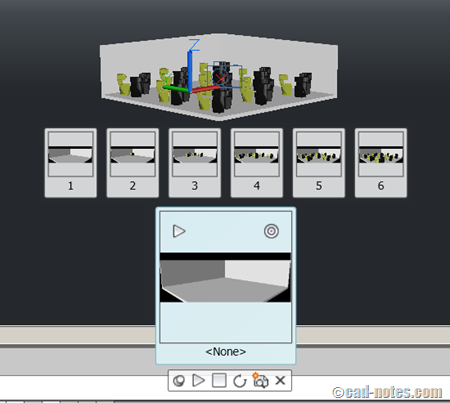
5 benefits of using AutoCAD saved views
November 7, 2012 by Edwin Prakoso 4 Comments

Have you used saved views? Saved views can reduce repetitive task to turn on/off layers, move view position, zoom, etc. You can animate views, and even batch render your views!

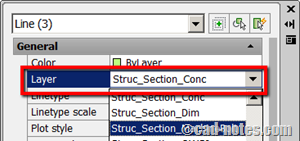
3 ways to move AutoCAD objects to other layer
November 1, 2012 by Edwin Prakoso 15 Comments

How can you move AutoCAD objects to another layer? There are several ways to do it. Let’s see 3 of them.

Do you know that you can get Autodesk technology preview for free?

October 30, 2012 by Edwin Prakoso Leave a Comment

Do you know that many of new cool products from Autodesk were once a technology preview from the labs? You can try more interesting technology from labs… for free!

How to: Change referenced file layer properties in master file

October 23, 2012 by Edwin Prakoso 1 Comment

Do you need your reference files to have different properties in your master file? Different color, line type, thickness, etc? See how you can do it here.

What is the standard font height and type?

October 18, 2012 by Edwin Prakoso 21 Comments

Manual drafting

What is the standard height and font type for our engineering drawing? Either you work with AutoCAD or other CAD software, what matters is the printed drawing! So what’s the standard font height on paper?

  • « Previous Page
  • 1
  • …
  • 47
  • 48
  • 49
  • 50
  • 51
  • …
  • 104
  • Next Page »

Featured

What’s new in AutoCAD: drawing and drafting tools

Another AutoCAD new features roundup. In this post we will see what are drawing and drafting features have been added.

Recent Articles

  • Accessing Autodesk Docs Files from Windows Explorer
  • The Evolution of BIM: From 3D Models to Information Management
  • The Misconception of CAD to BIM

Advertisement

New on CADnotes

  • Accessing Autodesk Docs Files from Windows Explorer
  • The Evolution of BIM: From 3D Models to Information Management
  • The Misconception of CAD to BIM
  • Revit Pattern Alignment
  • Why BIM Dimensions (3D, 4D, 5D) Are No Longer Relevant

Meet the Authors

avatar for
avatar for
avatar for
avatar for
avatar for
avatar for

Get Connected

CADnotes on FacebookCADnotes on InstagramCADnotes on TwitterCADnotes on YouTube

© 2009 – 2026 CADnotes · Feedback · Privacy Policy · Become an affiliate