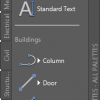
AutoCAD template is important. But we shouldn’t make it unnecessarily complex. There are many ways to develop the drawing as we go. And the first method we cover is using the Tool Palette.
How to export and import AutoCAD Tool Palettes
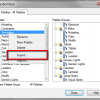
Do you want to copy your awesome tool palettes to your other computer? This is how you can do it.
The killer tool palette macros, download it here!
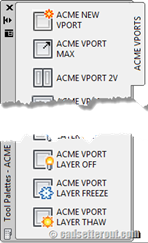
Have you tried the tip to create 11 killer macros for viewports? If you’re too busy to follow all the steps, you can just download it here!
Eleven Killer Tool palette Macros for working with AutoCAD Viewports
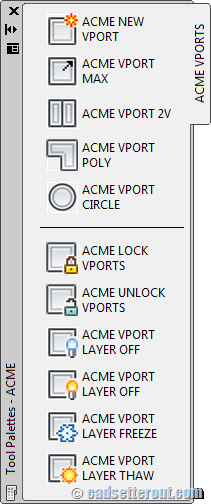
If you work with AutoCAD layout, these 11 killer macros will help you. For easier access, we put all the macros in tool palettes. A must read if you want to work with viewport faster! Another great post by Paul Munford.
How to: export custom AutoCAD rendering materials
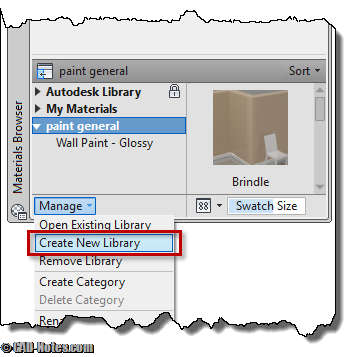
Have you created many AutoCAD rendering materials on your workstation? Now how you can share them to your partner that uses other computer?
How to: add action recorder macro to tool palettes
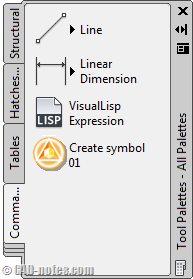
Like using AutoCAD action recorder? Want to access the macros easily from tool palette? See how you can put them there!
How Can We Protect AutoCAD Tool Palettes?
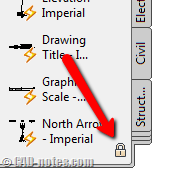
Do you need to protect your palettes from being modified accidentally? Or you want to share your tool palettes to all your team and use it as enterprise palette? Let us see how you can do it here!
Creating Your Own AutoCAD Palette

Autodesk has introduced palette in AutoCAD since a long time ago. If I’m not mistaken, since AutoCAD 2005. It is a very easy way to manage (and create) your reusable content. We will place every dynamic blocks we’ve created there in this step. Later, we will use palette to access the reusable contents when we […]


