
You can export line types from an AutoCAD file to .lin file with LINOUT utility. Get the download link and how to use it here.
Good AutoLISP Programming Techniques

Rachid Khouri shares some good tips for good AutoLISP programming.
June recommendation: Lee Mac Programming
In this month, we recommend you to visit Lee Mac website to find some great AutoLISP programs. They surely can help you to work faster!
Create a custom AutoCAD secondary command to work faster

Do you need to change a setting when working with AutoCAD command? Why not create a secondary command so you can work faster!
AutoLISP: Add length annotations to objects

Do you need to automatically annotate AutoCAD objects length? Measure total length/area from several objects? This AutoLISP will let you to do that quickly.
How to: Create polygon in isometric drawing
Do you need to create isometric polygon in your drawing? Lee Mac has an AutoLISP program to do that easily!
Adding AIA standard layers with LISP

If you want to implement AIA standard layers, this is an AutoLISP that will do that. You can add hundreds of layers in few seconds!
Set default system variables in acaddoc.lsp
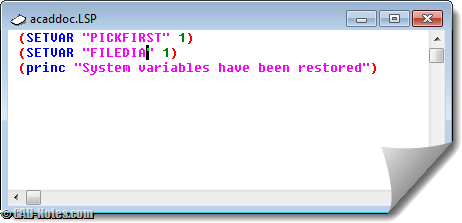
Do you find your system variables change often? Do you have to set it back to default regularly? Why not set them by default in acaddoc.lsp? Read how you can set system variables in acaddoc.lsp. And see some common variables listed here.


