
If you are going to do some customization in AutoCAD, then it’s unavoidable that you will have to change some system variables. I’m not good in customization. So having a system variable list is very helpful. I know there are some websites provide this list. But some of them are for old version of AutoCAD. […]
Archives for August 2009
Dynamic Block Tutorial #3: Door

This is the last object we are going to create using AutoCAD dynamic block. We are going to create a door. Basically it’s not that different with what we did with dynamic block before. But this time, we are going to learn about action properties in dynamic block. We are going to use wipeout as well. […]
Ribbon Shortcut Key on Autodesk Products

I know this information might be a little bit out dated. But honestly I’ve never user ribbon intensely before. Well, I don’t think most AutoCAD users never look for anything like it. Before AutoCAD already has command line. I accidently found that with ribbon interface, we can have alternative shortcut key. If you use any […]
Dynamic Block Tutorial #2: Creating Column

Let’s continue our AutoCAD dynamic block tutorial. We have created a basic dynamic block tutorial by adding one stretch action to our wall block. We will discuss further about parameter properties in this post. Now let’s talk about what we want to achieve. We want one block that contain several column size. But column size […]
Creating Ceiling in Revit Model
In this Revit Architecture tutorial, we continue to finish our model by adding ceilings.
5 Steps Preparing Your AutoCAD Plot

Plotting with AutoCAD can be nightmare for many users. Especially they who learn by themselves. Follow these 5 steps to make your life easier!
Dynamic Block Tutorial #1: Creating Wall
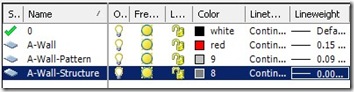
Dynamic block feature has opened many possibilities to enhance your AutoCAD libraries and your workflow. You can manage less objects in your library, and you can automate some process with it. In this first AutoCAD dynamic block tutorial, we will learn how to create an object with adjustable length. Many practices can use this process, […]
Where Can I See AutoCAD Command Alias List?

AutoCAD Command line is a very powerful feature, and I don’t think replaceable. I know there are a lot of pros and cons about using command line in AutoCAD. But why not use both? Personally I like using command alias as shortcut, but I found that it’s difficult for people who rely heavily on this […]


