• Home
  • Training Books
  • Subscribe to Our Email Newsletter
  • About
    • Contributors
    • Feedback
    • Contact
    • Privacy policy
    • Cookie Policy

CADnotes

CAD Tutorials and Best Practices for professionals and students

  • Featured
  • AutoCAD
    • AutoLISP
  • Revit
    • Revit Architecture Basic
    • Revit MEP Basic Tutorial
  • Inventor
  • MicroStation
    • MicroStation Basic Tutorial

Archives for August 2009

How to: Modify Objects With Non-Uniform Scale

August 6, 2009 by Edwin Prakoso 4 Comments

Do you need to scale AutoCAD objects non-uniformly? Different scale of X and Y? See how you can do it here!

What are AutoCAD Layer 0, ByLayer and ByBlock?

August 5, 2009 by Edwin Prakoso 7 Comments

A mystery for AutoCAD users: what are the differences between ByLayer and ByBlock? What Layer 0 is for? Here’s the answer!

What is AutoCAD Defpoints Layer for?

August 5, 2009 by Edwin Prakoso 5 Comments

Defpoints layer is not available in empty drawing. But somehow it’s created when you work. What is is for?

Set All Your Objects Properties Back to ByLayer

August 4, 2009 by Edwin Prakoso 13 Comments

You can change overridden properties to ByLayer very quickly by using this tool.

Creating Roof Edges Profile
August 4, 2009 by Edwin Prakoso 5 Comments

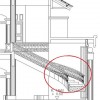
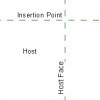
In the previous tutorial, we learn about creating roof in Revit model. We created a sloped roof, and a roof slab below it. We are going to use the roof slab as a gutter. So in this tutorial, we will close it edges using roof fascia. We will learn how to create two profile family, […]

How to: Use Additional RPC in Revit
August 3, 2009 by Edwin Prakoso 1 Comment

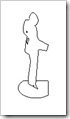
Since Revit 2009, Revit has the ability to use RPC (rich photographic content). You can easily add people, cars, plants or any other entourage available to your model. Revit already has several nice families for you to use. But you might feel it’s not enough, and want to use your own. But how you can […]

  • « Previous Page
  • 1
  • 2
  • 3

Featured

Work Better with AutoCAD | challenge 7: Evaluate your progress

You have completed 6 challenges to work better with AutoCAD. Now it’s time to evaluate your progress after completing the challenges. Is there are any area that you can improve?

Recent Articles

  • AI-Powered Rendering Now Available in Forma Board
  • Autodesk Forma Is Not The New Name For ACC
  • Placing Views on Sheet Efficiently with Saved Position

Advertisement

New on CADnotes

  • AI-Powered Rendering Now Available in Forma Board
  • Autodesk Forma Is Not The New Name For ACC
  • Placing Views on Sheet Efficiently with Saved Position
  • Autodesk Forma: One Platform to Rule the AEC Lifecycle
  • Accessing Autodesk Docs Files from Windows Explorer

Meet the Authors

avatar for
avatar for
avatar for
avatar for
avatar for
avatar for

Get Connected

CADnotes on FacebookCADnotes on InstagramCADnotes on TwitterCADnotes on YouTube

© 2009 – 2026 CADnotes · Feedback · Privacy Policy · Become an affiliate