• Home
  • Training Books
  • Subscribe to Our Email Newsletter
  • About
    • Contributors
    • Feedback
    • Contact
    • Privacy policy
    • Cookie Policy
  • Bahasa Indonesia

CADnotes

CAD Tutorials and Best Practices for professionals and students

  • Featured
  • AutoCAD
    • AutoLISP
  • Revit
    • Revit Architecture Basic
    • Revit MEP Basic Tutorial
  • Inventor
  • MicroStation
    • MicroStation Basic Tutorial

Why reinstalling might not fix your AutoCAD problem

September 4, 2012 by Edwin Prakoso Leave a Comment

AutoCAD doesn’t work as you want it to? And even reinstalling AutoCAD doesn’t solve the problem? It might not be a problem at all! It maybe your system variable has changed!

How to: convert dynamic block to regular AutoCAD block
August 28, 2012 by Edwin Prakoso 3 Comments

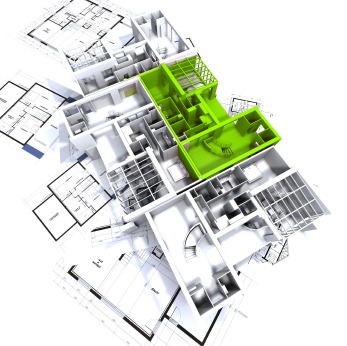
Need to convert dynamic block to regular/static block? There is no tools or direct way to do it. Here are some workarounds you can do!

How to: disable graphic card hardware acceleration

August 21, 2012 by Edwin Prakoso 4 Comments

Having problems with graphic card when using AutoCAD? The simplest solution is to turn off hardware acceleration. See why and how you can do it here!

How to compare AutoCAD drawings
August 8, 2012 by Edwin Prakoso 2 Comments

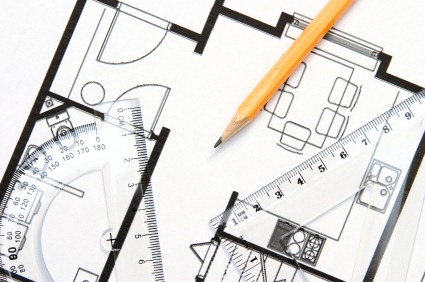
Do you need to compare your design between revisions? You can do it using DWF as intermediate format. But do you know that you can do it within Vault and within AutoCAD?

5 AutoCAD symbols that might confuse you

July 31, 2012 by Edwin Prakoso 9 Comments

Do you find a funny symbol you’ve never seen before in AutoCAD? It might be a new feature. See the most frequent question about the strange symbols!

How to: render sunlight in Autodesk cloud rendering

July 26, 2012 by Edwin Prakoso 1 Comment

Having problem when rendering with natural sunlight using cloud rendering? In Autodesk 360 rendering, you need to save the sun properties to your view first. See how you can do it here.

What is your favorite AutoCAD extension?

July 6, 2012 by Edwin Prakoso 5 Comments

Among thousands of AutoCAD extensions like AutoLISP, VBA, and .NET applications, what is your favorite? Let’s discuss it here!

So you want to apply different rendering materials to different faces?
July 5, 2012 by Edwin Prakoso 4 Comments

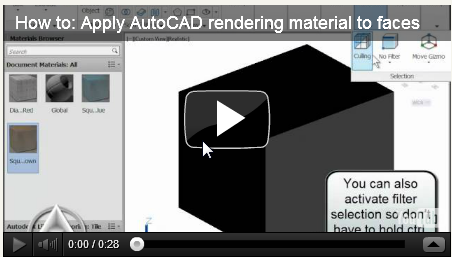
You can apply AutoCAD rendering materials to sub object level. In this case, it is the object’s faces. We give you a quick tip and a video how to do it!

  • « Previous Page
  • 1
  • …
  • 23
  • 24
  • 25
  • 26
  • 27
  • …
  • 55
  • Next Page »

Featured

What’s New in Revit 2023 part 2: More Structural Enhancements

More Revit 2023 enhancements for structure: steel connection automation, analytical model creation, and AISC v15 database. Revit really got some enhancements for structure!

Recent Articles

  • Automation is not AI
  • BIM Doesn’t Fix Your Problems
  • BIM is Useful, Until It’s Not

Advertisement

New on CADnotes

  • Automation is not AI
  • BIM Doesn’t Fix Your Problems
  • BIM is Useful, Until It’s Not
  • AI-Powered Rendering Now Available in Forma Board
  • Autodesk Forma Is Not The New Name For ACC

Meet the Authors

avatar for
avatar for
avatar for
avatar for
avatar for
avatar for

Get Connected

CADnotes on FacebookCADnotes on InstagramCADnotes on TwitterCADnotes on YouTube

© 2009 – 2026 CADnotes · Feedback · Privacy Policy · Become an affiliate