This is how you can force your AutoCAD object to use certain style. Or force to change your style properties to match your CAD standard.
Controlling Linetype Scale is as Easy as 1,2,3!
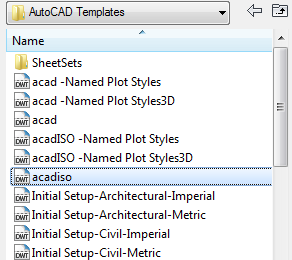
Controlling AutoCAD linetype scale can be very easy. All you need to do is start your drawing right, and follow basic rules!
Using Design Phase in Your Revit Project
In a building design, you might need to create multi-phase design. It can be existing and new construction phase for renovation projects. Or it can be you need to create some temporary construction that you will need to demolish later. Or the project itself require us to build it in multiple phases. Understanding How Design […]
Using AutoCAD XREF: Attachment vs Overlay
I get this question about reference file: what is the advantage of using XREF as overlay and using XREF as attachment? The explanation in AutoCAD documentation should be clear enough. However, if you still feel it’s not clear enough, let us discuss it here. The difference between attached and overlaid reference only can be seen […]
Creating Complex Roof in Revit
I had this question: how can I control the a complex roof in Revit? Something similar like below. The roof doesn’t look pretty, the roof edges don’t meet at expected point. The problem that cause this is Revit attempt to create slopes from each edges. The meeting point might not where we expect it should […]
Creating Your Own Revit Families
Want to create your own Revit family? This e-book covers the basic, and provided with video that explains the exercises.
Cycling Through Revit Shortcuts
I found something interesting when exploring my shortcuts in Revit today. It is something basic, but I missed it until today. Probably it will be useful for you. Revit has shortcuts too. If you place your pointer above a tool icon, the tool tip will show you the shortcut. If any. The wall tool shortcut […]
Autodesk Homestyler: Design your interiors online… for Free!
These days we can see many web based applications available. Some of them are free (with or without limitation) and some are premium paid services. I saw that Autodesk now also has several web based applications. I have to admit that I’m impressed what we can do with web based applications today. I tried Homestyler, […]
- « Previous Page
- 1
- …
- 78
- 79
- 80
- 81
- 82
- …
- 105
- Next Page »


