In this week Work Better with AutoCAD challenge, you will create reusable content: AutoCAD Block. You have chance to win an e-book just to participate in this challenge. Or win a grand prize after all challenges are given!
Have you been involved in Work Better with AutoCAD challenges?

We already have two challenges in Work Better with AutoCAD series. Have you been involved in the discussions? Let’s help each other to be productive!
Work Better with AutoCAD | Challenge 2: Template

After completing the 1st challenge, this week you will work with templates. Our goal is to reduce repetitive tasks.
Work Better with AutoCAD | Challenge 1: Preparation

In your 1st challenge to Work Better with AutoCAD, you will do some preparations. This is important for upcoming challenges. So complete and discuss it with us!
We will start Work Better with AutoCAD next week!

If you want to work better with AutoCAD, don’t miss our challenges. We will start the first challenge next week! If you are active in the discussions, you are eligible to win our prizes!
Create your own magic button to restore AutoCAD layers and styles

Do you want to restore all objects from AutoCAD templates after purge them? You can do it by one click on this magic button!
Working with Revit temporary dimension
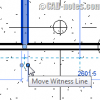
Do you need to change Revit temporary dimensions reference? The default is to nearest face. But you can change it to centerlines or center of core if you need to.
Are you interested to participate in “Work Better with AutoCAD” Program?

Are you interested to join the discussions to “Work Better with AutoCAD”? Show your interest if you us to relaunch this program!
- « Previous Page
- 1
- …
- 35
- 36
- 37
- 38
- 39
- …
- 105
- Next Page »


