
• Home
  • Training Books
  • Subscribe to Our Email Newsletter
  • About
    • Contributors
    • Feedback
    • Contact
    • Privacy policy
    • Cookie Policy

CADnotes

CAD Tutorials and Best Practices for professionals and students

  • Featured
  • AutoCAD
    • AutoLISP
  • Revit
    • Revit Architecture Basic
    • Revit MEP Basic Tutorial
  • Inventor
  • MicroStation
    • MicroStation Basic Tutorial

How to create custom AutoCAD dimension arrow

July 1, 2015 by Edwin Prakoso 7 Comments

Make your AutoCAD drawing looks fancy by using custom dimension arrow. Follow our guide here!

One AutoCAD dimension style, different appearances

October 31, 2014 by Edwin Prakoso Leave a Comment

happy computer user

You can have one AutoCAD dimension style to show different appearances. It can be different in linear and radial dimension, automatically!

Task 3: Add styles to your templates

August 24, 2011 by Edwin Prakoso 5 Comments

3rd task in work with AutoCAD better. In this task we will add styles to our templates. Discuss it here!

Creating layer and styles with AutoLISP
May 27, 2011 by Edwin Prakoso 3 Comments

In this AutoLISP tutorial, we learn how to create layers, text styles, and dimension styles.

AutoCAD tip: remove alternate unit bracket in dimension
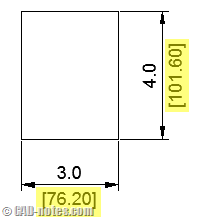
April 11, 2011 by Edwin Prakoso 12 Comments

Do you ever wish to remove alternate units bracket in AutoCAD dimensions? Or you want to change the bracket to something else?

More Annotation Tools: Dimension

June 17, 2010 by Edwin Prakoso 4 Comments

We have discussed about using text and cell to annotate our drawings. Let us explore further about annotation tools. This time, we are going to discuss how to use MicroStation dimension. Even if we create our drawings in exact sizes, plot it in certain scales, we still need to add dimensions. It doesn’t make sense […]

Enforcing Dimension Styles Across Your AutoCAD Drawings

June 15, 2010 by Edwin Prakoso 2 Comments

This is how you can force your AutoCAD object to use certain style. Or force to change your style properties to match your CAD standard.

Featured

What’s New in AutoCAD 2022?

What’s new in AutoCAD 2022? Is there any new feature that will be useful for you?
Check this post and the video covering what’s new in AutoCAD 2022!

Recent Articles

  • Placing Views on Sheet Efficiently with Saved Position
  • Autodesk Forma: One Platform to Rule the AEC Lifecycle
  • Accessing Autodesk Docs Files from Windows Explorer

Advertisement

New on CADnotes

  • Placing Views on Sheet Efficiently with Saved Position
  • Autodesk Forma: One Platform to Rule the AEC Lifecycle
  • Accessing Autodesk Docs Files from Windows Explorer
  • The Evolution of BIM: From 3D Models to Information Management
  • The Misconception of CAD to BIM

Meet the Authors

avatar for
avatar for
avatar for
avatar for
avatar for
avatar for

Get Connected

CADnotes on FacebookCADnotes on InstagramCADnotes on TwitterCADnotes on YouTube

© 2009 – 2026 CADnotes · Feedback · Privacy Policy · Become an affiliate