
• Home
  • Training Books
  • Subscribe to Our Email Newsletter
  • About
    • Contributors
    • Feedback
    • Contact
    • Privacy policy
    • Cookie Policy
  • Bahasa Indonesia

CADnotes

CAD Tutorials and Best Practices for professionals and students

  • Featured
  • AutoCAD
    • AutoLISP
  • Revit
    • Revit Architecture Basic
    • Revit MEP Basic Tutorial
  • Inventor
  • MicroStation
    • MicroStation Basic Tutorial

Revit 2025: Toposolid Enhancements

May 28, 2024 by Edwin Prakoso 1 Comment

If you often work with Revit toposolid, you will find in Revit 2025 it is easier to work with. Let’s see the enhancements!

Free Dynamo Graph: Auto Dimensions from Grids and Walls
April 2, 2024 by Edwin Prakoso 3 Comments

These Dynamo graphs can help you to automate creating dimensions on multiple grids or walls reference.

How to: Use Dynamo Graph in Dynamo Player
February 21, 2024 by Edwin Prakoso 2 Comments

Learn how to register Dynamo Graph folders in the Dynamo Player and use them in Revit

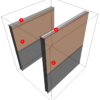
Understanding Surface and Cut Patterns in Revit
October 25, 2023 by Edwin Prakoso Leave a Comment

Revit generates views automatically, including the patterns as the actual surface pattern or annotations. What is the difference between surface and cut patterns?

Revit 2024.1 Update is Released

July 14, 2023 by Edwin Prakoso Leave a Comment

Revit 2024.1. is the 1st major update for Revit 2024. Not only it resolves issues in Revit 2024, it also has several enhancements.

What’s New in Revit 2024: Bending Detail
April 18, 2023 by Edwin Prakoso 2 Comments

Bending detail is an excellent new feature in Revit 2024. Now you can create a rebar detail and bar bending schedule quickly.

What’s New in Revit 2024: The Dark Theme

April 13, 2023 by Edwin Prakoso Leave a Comment

Revit 2024 now has a dark theme. Something we’ve been waiting for some time!

Revit Family: Using Parameters to Control Array and Elements’ Visibility

March 16, 2023 by Edwin Prakoso 1 Comment

We try to control more things in a Revit family: array, visibility, and more! See how advanced usage of Revit families can help in your design!

  • 1
  • 2
  • 3
  • …
  • 28
  • Next Page »

Featured

3 Benefits of Using Revit view filters

Have you used using filters in Revit Visibility/Graphics Overrides? It allows you to control your drawing appearance further and faster. Even when you think you can’t override the visibility!

Recent Articles

  • Why BIM Dimensions (3D, 4D, 5D) Are No Longer Relevant
  • Bridge: Controlled Data Sharing Between Stakeholders
  • Autodesk Construction Cloud Evolution

Advertisement

New on CADnotes

  • Why BIM Dimensions (3D, 4D, 5D) Are No Longer Relevant
  • Bridge: Controlled Data Sharing Between Stakeholders
  • Autodesk Construction Cloud Evolution
  • Autodesk Construction Cloud Activity Log
  • Exporting AutoCAD Plant 3D Model to Navisworks

Meet the Authors

avatar for
avatar for
avatar for
avatar for
avatar for
avatar for

Get Connected

CADnotes on FacebookCADnotes on InstagramCADnotes on TwitterCADnotes on YouTube

© 2009 – 2025 CADnotes · Feedback · Privacy Policy · Become an affiliate