• Home
  • Training Books
  • Subscribe to Our Email Newsletter
  • About
    • Contributors
    • Feedback
    • Contact
    • Privacy policy
    • Cookie Policy

CADnotes

CAD Tutorials and Best Practices for professionals and students

  • Featured
  • AutoCAD
    • AutoLISP
  • Revit
    • Revit Architecture Basic
    • Revit MEP Basic Tutorial
  • Inventor
  • MicroStation
    • MicroStation Basic Tutorial

Archives for July 2009

How to: Cycle AutoCAD commands

July 8, 2009 by Edwin Prakoso Leave a Comment

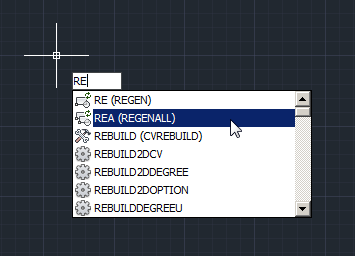
Don’t remember all AutoCAD commands in command line? Nobody does! But we can just type few characters and cycle through available commands!

Understanding Wall Structure

July 7, 2009 by Edwin Prakoso 2 Comments

We’ve been placing wall in our Revit model. So far, we use generic type. It only has one layer, so you might not notice that you can actually define exterior and interior wall. Activate modify tool. Select one of your wall. You should see arrow symbol to flip your wall. The arrows are supposed to […]

Use BURST for block with attributes instead of Explode!
July 6, 2009 by Edwin Prakoso 5 Comments

Did you ever explode AutoCAD block that contains attributes? We use the command to convert your AutoCAD objects to its basic component. We can convert it back to lines, text, and other basic objects. But after exploding, you will see the attributes will lose all the data you have given. It will show the attribute […]

Add Pattern to Roof
July 5, 2009 by Edwin Prakoso 7 Comments

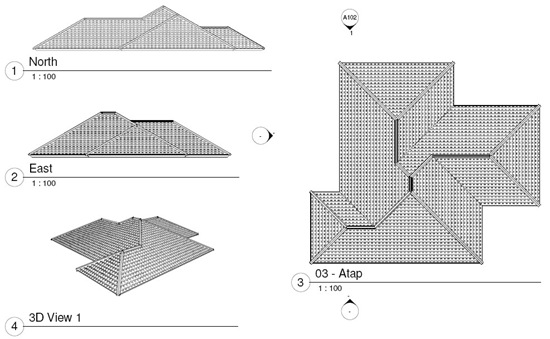
Can I add pattern to my roof in Revit Architecture? Sure! Image above is actually plotted from sheet. You can apply surface pattern to your family for this purpose. Open your roof type properties, edit the material. Duplicate any material from the list, rename it. Now we will apply pattern to this material. Understanding Pattern […]

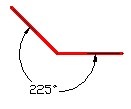
Creating Angular Dimension Larger than 180 deg
July 2, 2009 by Edwin Prakoso 12 Comments

Do you need to create angular dimension larger than 180 degrees? See how you can do it here!

AutoCAD Solid History
July 2, 2009 by Edwin Prakoso 2 Comments

With solid history, we can change object sizes like before Boolean operation like union and subtract.

Enable Object Snap to Hatch
July 2, 2009 by Edwin Prakoso 6 Comments

Do you need to snap to hatch objects? You can do it, but need to change an option first.

  • « Previous Page
  • 1
  • 2
  • 3

Featured

Sharing files and designs with Autodesk 360

If you have Autodesk account, you can have free 5GB online storage. You can use it to share large files or provide 3D viewers. You can showcase your design on your company website or your personal portfolio!

Recent Articles

  • AI-Powered Rendering Now Available in Forma Board
  • Autodesk Forma Is Not The New Name For ACC
  • Placing Views on Sheet Efficiently with Saved Position

Advertisement

New on CADnotes

  • AI-Powered Rendering Now Available in Forma Board
  • Autodesk Forma Is Not The New Name For ACC
  • Placing Views on Sheet Efficiently with Saved Position
  • Autodesk Forma: One Platform to Rule the AEC Lifecycle
  • Accessing Autodesk Docs Files from Windows Explorer

Meet the Authors

avatar for
avatar for
avatar for
avatar for
avatar for
avatar for

Get Connected

CADnotes on FacebookCADnotes on InstagramCADnotes on TwitterCADnotes on YouTube

© 2009 – 2026 CADnotes · Feedback · Privacy Policy · Become an affiliate