• Home
  • Training Books
  • Subscribe to Our Email Newsletter
  • About
    • Contributors
    • Feedback
    • Contact
    • Privacy policy
    • Cookie Policy

CADnotes

CAD Tutorials and Best Practices for professionals and students

  • Featured
  • AutoCAD
    • AutoLISP
  • Revit
    • Revit Architecture Basic
    • Revit MEP Basic Tutorial
  • Inventor
  • MicroStation
    • MicroStation Basic Tutorial
You are here: Home / Archive / AutoCAD and AutoCAD LT Sheet Set video

AutoCAD and AutoCAD LT Sheet Set video

January 3, 2012 by Edwin Prakoso Leave a Comment

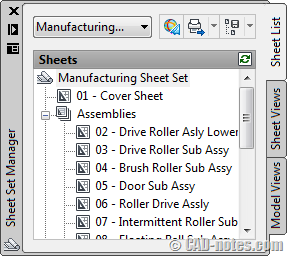
If you are an AutoCAD LT user, you should notice that in 2012 version you have Sheet Set Manager. Kate Morrical published a tutorial video series on her blog, LT Unlimited.
sheet_set

Sheet set is a neat way to organize your drawings in a project. You can get the advantages of Sheet Set properties by having additional fields. And don’t forget that it’s easy to send part of your projects (in a sub set) with e-transmit. It is also easy to plot all the drawings at once.

I was thinking to create a list to the videos, unfortunately I haven’t got the time to search her blog for them. Luckily, Jimmy Bergmark managed to compile the video links on his blog.

If you want to see the list, you can find the list here: Sheet Set Manager for AutoCAD LT videos.

If you want to learn about Sheet set in details, you can also purchase our e-book: Document management with AutoCAD Sheet Set.

Share the knowledge:

About Edwin Prakoso

I work as a Sr. Consultant in PT Cipta Satria Informatika. I've been using AutoCAD since R14 and Revit since Revit Building 9. I occasionally write for AUGIWorld magazine and I am also active in Autodesk discussion forum. I'm a member of Autodesk Expert Elite, an appreciation for individuals who give contributions to the Autodesk community.
Connect with me on twitter or LinkedIn.

Filed Under: Archive, AutoCAD Tagged With: AutoCAD, AutoCAD LT, Sheet Set

0 0 votes
Article Rating
Subscribe
Login
Notify of
guest

guest

This site uses Akismet to reduce spam. Learn how your comment data is processed.

0 Comments
Inline Feedbacks
View all comments

Featured

8 Frequent Issues when installing Autodesk Products

Many times the installation failed. We need to know what the problem is and what the workaround is. If you don’t know what’s the problem, you may not be able to install it even you have tried several times. Let’s try to fix it!

Recent Articles

  • AI-Powered Rendering Now Available in Forma Board
  • Autodesk Forma Is Not The New Name For ACC
  • Placing Views on Sheet Efficiently with Saved Position

Advertisement

New on CADnotes

  • AI-Powered Rendering Now Available in Forma Board
  • Autodesk Forma Is Not The New Name For ACC
  • Placing Views on Sheet Efficiently with Saved Position
  • Autodesk Forma: One Platform to Rule the AEC Lifecycle
  • Accessing Autodesk Docs Files from Windows Explorer

Meet the Authors

avatar for
avatar for
avatar for
avatar for
avatar for
avatar for

Get Connected

CADnotes on FacebookCADnotes on InstagramCADnotes on TwitterCADnotes on YouTube

© 2009 – 2026 CADnotes · Feedback · Privacy Policy · Become an affiliate

wpDiscuz