
• Home
  • Training Books
  • Subscribe to Our Email Newsletter
  • About
    • Contributors
    • Feedback
    • Contact
    • Privacy policy
    • Cookie Policy

CADnotes

CAD Tutorials and Best Practices for professionals and students

  • Featured
  • AutoCAD
    • AutoLISP
  • Revit
    • Revit Architecture Basic
    • Revit MEP Basic Tutorial
  • Inventor
  • MicroStation
    • MicroStation Basic Tutorial

Create your own AutoCAD pattern easily

August 27, 2014 by Edwin Prakoso 17 Comments

Do you need to create a custom AutoCAD hatch pattern? This is an easy way to create the pattern graphically, just draw it and then save it!

AutoCAD hatch tip: create ceiling pattern faster and get smaller file size
April 28, 2014 by Edwin Prakoso 6 Comments

Available hatch pattern

AutoCAD hatch helps you to finish your task faster, easy to modify. And it makes your DWG file smaller! Let’s create ceiling pattern as example!

How to: add custom pattern to AutoCAD
April 18, 2012 by Edwin Prakoso 21 Comments

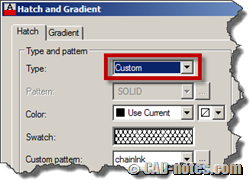
You can use your own AutoCAD pattern/hatch by embedding the pattern in acad.pat or add the pattern file into the support folder.

Using MicroStation Cell as Points, Terminators, and Patterns

May 4, 2010 by Edwin Prakoso 2 Comments

We are still discussing about MicroStation cell. We already discussed that we can use cells as reusable library. Now we know that we can place the cell. However, there are more that we can do with cells. Look at the cell library dialog box. At the bottom of the dialog, we can see several options, […]

Featured

5 Reasons Why You Should Use AutoCAD Block (Infographics)

Here are the reasons why you should use AutoCAD blocks. If you haven’t used it, this perhaps can encourage you.

Recent Articles

  • Placing Views on Sheet Efficiently with Saved Position
  • Autodesk Forma: One Platform to Rule the AEC Lifecycle
  • Accessing Autodesk Docs Files from Windows Explorer

Advertisement

New on CADnotes

  • Placing Views on Sheet Efficiently with Saved Position
  • Autodesk Forma: One Platform to Rule the AEC Lifecycle
  • Accessing Autodesk Docs Files from Windows Explorer
  • The Evolution of BIM: From 3D Models to Information Management
  • The Misconception of CAD to BIM

Meet the Authors

avatar for
avatar for
avatar for
avatar for
avatar for
avatar for

Get Connected

CADnotes on FacebookCADnotes on InstagramCADnotes on TwitterCADnotes on YouTube

© 2009 – 2026 CADnotes · Feedback · Privacy Policy · Become an affiliate