• Home
  • Training Books
  • Subscribe to Our Email Newsletter
  • About
    • Contributors
    • Feedback
    • Contact
    • Privacy policy
    • Cookie Policy

CADnotes

CAD Tutorials and Best Practices for professionals and students

  • Featured
  • AutoCAD
    • AutoLISP
  • Revit
    • Revit Architecture Basic
    • Revit MEP Basic Tutorial
  • Inventor
  • MicroStation
    • MicroStation Basic Tutorial

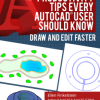
E-book: Top 25 AutoCAD Productivity Tips

June 12, 2014 by Edwin Prakoso 1 Comment

Are you looking for more AutoCAD tips to work faster? This e-book from Ellen Finkelstein can help.

Featured

6 Things AutoCAD Command Line Can Do for You (Infographics)

AutoCAD Command Line is the most important feature in AutoCAD. Veteran users can use two hands (one on the keyboard and the other using mouse) and draw very quickly. It is faster than relying on the GUI only.

The new users probably using GUI more than older users like me. They prefer the Ribbon and use the Command Line less. 

In this post, you can see 6 things AutoCAD Command Line can do to make your life easier. You don’t have to use them all, but at least you know it can be done. If you think it’s good, use it. But if you don’t like it, leave it.

Recent Articles

  • 10 AutoCAD Commands Only Veterans Know
  • Is Your Revit Model Healthy?
  • Older Revit Will Lose Access to Cloud Models

Advertisement

New on CADnotes

  • 10 AutoCAD Commands Only Veterans Know
  • Is Your Revit Model Healthy?
  • Older Revit Will Lose Access to Cloud Models
  • Automation is not AI
  • BIM Doesn’t Fix Your Problems

Meet the Authors

avatar for
avatar for
avatar for
avatar for
avatar for
avatar for

Get Connected

CADnotes on FacebookCADnotes on InstagramCADnotes on TwitterCADnotes on YouTube

© 2009 – 2026 CADnotes · Feedback · Privacy Policy · Become an affiliate