• Home
  • Training Books
  • Subscribe to Our Email Newsletter
  • About
    • Contributors
    • Feedback
    • Contact
    • Privacy policy
    • Cookie Policy
  • Bahasa Indonesia

CADnotes

CAD Tutorials and Best Practices for professionals and students

  • Featured
  • AutoCAD
    • AutoLISP
  • Revit
    • Revit Architecture Basic
    • Revit MEP Basic Tutorial
  • Inventor
  • MicroStation
    • MicroStation Basic Tutorial

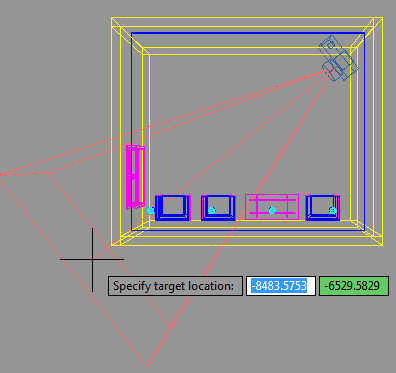
Defining AutoCAD Camera

July 14, 2010 by Edwin Prakoso 13 Comments

I had a couple questions about creating a photorealistic rendering in AutoCAD. Probably after seeing the rendering sample I made. I’m not a rendering guru, but I think it would be interesting to write something about it. Setting up rendering environment is not difficult. But you need to do trial and error before finally get […]

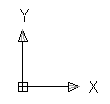
Controlling UCS for Angled Drawing and Local Coordinates
July 7, 2010 by Edwin Prakoso 27 Comments

UCS is an AutoCAD productivity feature that we can use. You can use it to rotate your viewport or working with local coordinate.

The Best, the Rest, the Rare: 100 AutoCAD Tips You Should Know

June 28, 2010 by Edwin Prakoso 89 Comments

best training

A compilation of AutoCAD tips. Read all 100 of them to increase your productivity!

Enforcing Dimension Styles Across Your AutoCAD Drawings

June 15, 2010 by Edwin Prakoso 2 Comments

This is how you can force your AutoCAD object to use certain style. Or force to change your style properties to match your CAD standard.

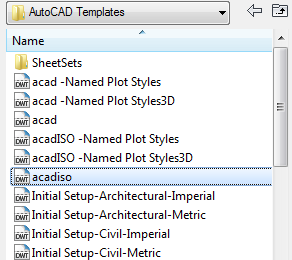
Controlling Linetype Scale is as Easy as 1,2,3!
June 13, 2010 by Edwin Prakoso 11 Comments

Controlling AutoCAD linetype scale can be very easy. All you need to do is start your drawing right, and follow basic rules!

Using AutoCAD XREF: Attachment vs Overlay

June 2, 2010 by Edwin Prakoso 1 Comment

I get this question about reference file: what is the advantage of using XREF as overlay and using XREF as attachment? The explanation in AutoCAD documentation should be clear enough. However, if you still feel it’s not clear enough, let us discuss it here. The difference between attached and overlaid reference only can be seen […]

How to: Draw an Arc with a Specific Arc Length in AutoCAD?

May 6, 2010 by Edwin Prakoso 43 Comments

How to draw arc with specific length in AutoCAD? We can’t directly do that, but there is a workaround!

Modifying AutoCAD Drawing Objects

April 17, 2010 by Edwin Prakoso 8 Comments

It’s been a while since I wrote the last AutoCAD tutorial. Let us continue the AutoCAD basic. The last tutorial discuss about how to draw in AutoCAD. Let us refresh our memory how we use the drawing tools. To draw in AutoCAD, we activate the tool, then define the coordinate. You might need to use […]

  • « Previous Page
  • 1
  • …
  • 41
  • 42
  • 43
  • 44
  • 45
  • …
  • 55
  • Next Page »

Featured

6 Things AutoCAD Command Line Can Do for You (Infographics)

AutoCAD Command Line is the most important feature in AutoCAD. Veteran users can use two hands (one on the keyboard and the other using mouse) and draw very quickly. It is faster than relying on the GUI only.

The new users probably using GUI more than older users like me. They prefer the Ribbon and use the Command Line less. 

In this post, you can see 6 things AutoCAD Command Line can do to make your life easier. You don’t have to use them all, but at least you know it can be done. If you think it’s good, use it. But if you don’t like it, leave it.

Recent Articles

  • Autodesk Construction Cloud Evolution
  • Autodesk Construction Cloud Activity Log
  • Exporting AutoCAD Plant 3D Model to Navisworks

Advertisement

New on CADnotes

  • Autodesk Construction Cloud Evolution
  • Autodesk Construction Cloud Activity Log
  • Exporting AutoCAD Plant 3D Model to Navisworks
  • Autodesk Data Connector for Power BI is Now Available
  • Autodesk Forma Design Contest

Meet the Authors

avatar for
avatar for
avatar for
avatar for
avatar for
avatar for

Get Connected

CADnotes on FacebookCADnotes on InstagramCADnotes on TwitterCADnotes on YouTube

© 2009 – 2025 CADnotes · Feedback · Privacy Policy · Become an affiliate