• Home
  • Training Books
  • Subscribe to Our Email Newsletter
  • About
    • Contributors
    • Feedback
    • Contact
    • Privacy policy
    • Cookie Policy

CADnotes

CAD Tutorials and Best Practices for professionals and students

  • Featured
  • AutoCAD
    • AutoLISP
  • Revit
    • Revit Architecture Basic
    • Revit MEP Basic Tutorial
  • Inventor
  • MicroStation
    • MicroStation Basic Tutorial

How to Show 1-Line and 2-Lines Pipes in One Revit MEP Drawing

January 3, 2018 by Edwin Prakoso 2 Comments

This is the workaround to show both 1-line pipe and 2-line pipes in one Revit drawing. Now you can show small pipes as 1-line and larger pipes as 2-lines in a drawing!

How to: Print Revit Heating and Cooling Load Analysis
September 21, 2016 by Edwin Prakoso Leave a Comment

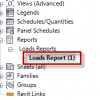
I’ve got a question regarding Revit Heating and Cooling Load Analysis result. How can we print it or export it to another format, such as Microsoft Excel? Revit doesn’t provide an export tool for this report, but with a workaround, you can open it in Excel. Printing the Report First, if you just want to print […]

Featured

Doing computer exercise

How to pass Autodesk Professional certification

Do you plan to take Autodesk certification exam? Here are some tips and tricks to pass the exam. The questions are not difficult, but you need some tricks and strategy to easily pass it!

Recent Articles

  • The Evolution of BIM: From 3D Models to Information Management
  • The Misconception of CAD to BIM
  • Revit Pattern Alignment

Advertisement

New on CADnotes

  • The Evolution of BIM: From 3D Models to Information Management
  • The Misconception of CAD to BIM
  • Revit Pattern Alignment
  • Why BIM Dimensions (3D, 4D, 5D) Are No Longer Relevant
  • Bridge: Controlled Data Sharing Between Stakeholders

Meet the Authors

avatar for
avatar for
avatar for
avatar for
avatar for
avatar for

Get Connected

CADnotes on FacebookCADnotes on InstagramCADnotes on TwitterCADnotes on YouTube

© 2009 – 2026 CADnotes · Feedback · Privacy Policy · Become an affiliate