Remember in the old days, when we already union or subtract two 3D solid objects, then we no longer able to edit them? Oh yeah, you can create another solid to modify it, then union or subtract them again. Sometimes when the objects become too complex, the only thing you can do is start again from scratch!
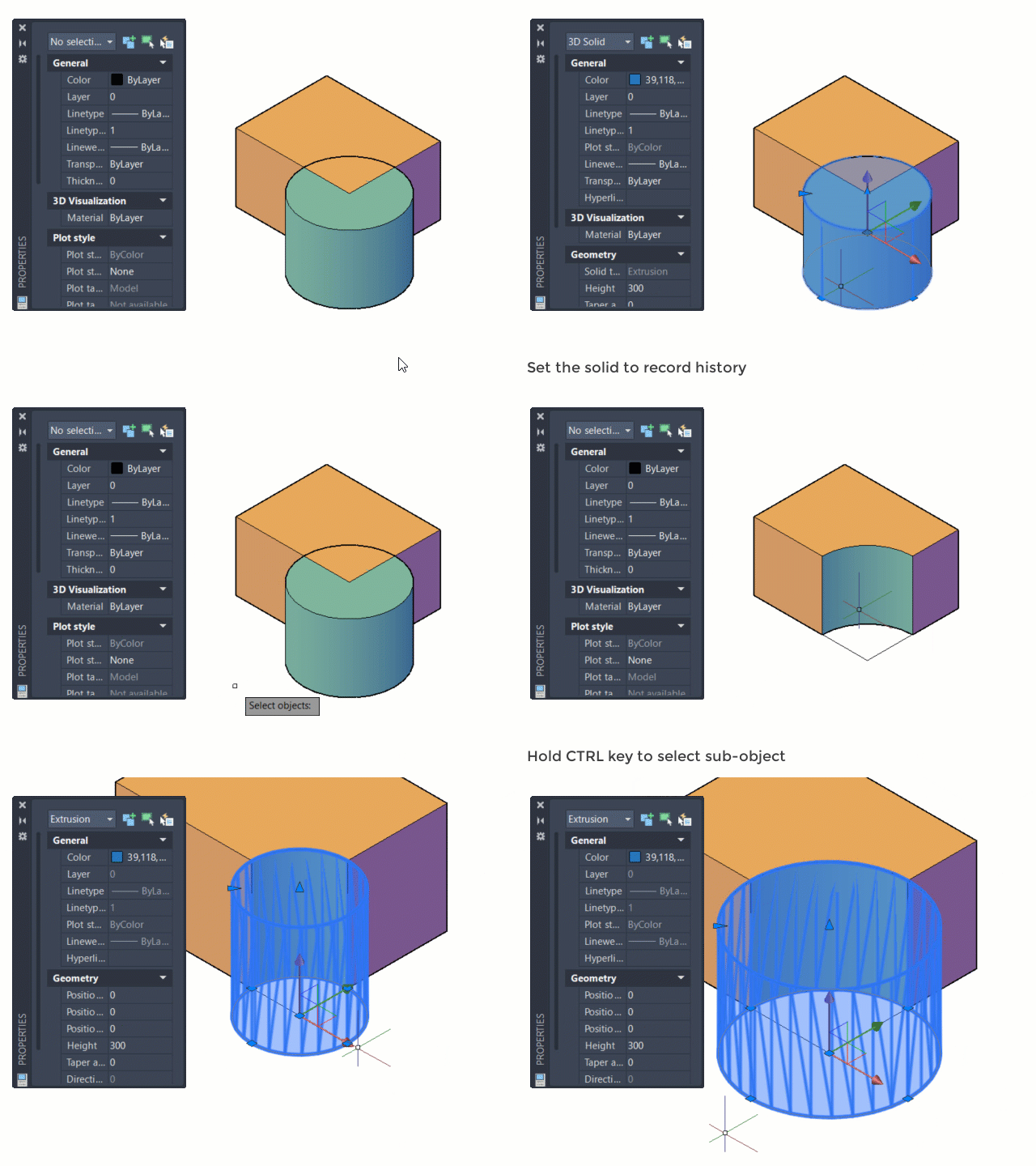
Since AutoCAD 2007, Autodesk introduces ‘solid history’ to AutoCAD 3D modeling. It means that AutoCAD remembers original forms before you did a boolean operation. Those objects treated as subobjects.
This option changes over the year, you need to activate the solid history for the solid that you want to record.
See this illustration below on how it works.


HI sir. The solid history does not work in my auotocad. plz show me how i can use it. thank you
sir plz show autocad history and show what is autocad