Dear CAD Notes readers,
Merry Christmas to you who are celebrating… and happy new year to you all!
2009 is almost end. CAD Notes has been running for 7 months now. I know it’s still very young. Therefore I thank you for trusting CAD Notes as one of your CAD resources. I don’t think CAD Notes is the only one you follow :)
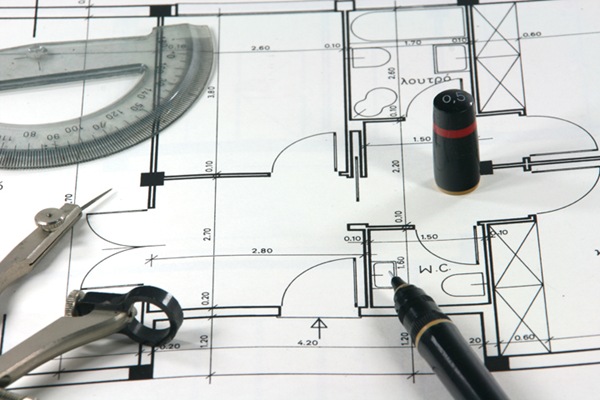
It’s about AutoCAD, Revit, and MicroStation
I decided to discuss only about those 3 CAD applications in CAD Notes. I might add some information about other application, but it won’t be my main interest. At least I don’t plan to add more applications in the near future.
I’m planning to publish at least 3 posts every week: Revit on Monday, MicroStation on Wednesday, and AutoCAD on Friday. Might be early or late a day (two at worst), especially in holiday season like this. I’ll try my best to stick at the schedule (forgive me if I can’t). I will add more posts in between if there are some headlines or interesting things I can find.
I wrote some posts about network licensing configurations, issue with other applications installed, and bugs in technical troubleshoot. Some freeware I found in ‘others’ category. I don’t have schedule for this category, only when I found one.
AutoCAD Summary
There are several categories related to AutoCAD: Tips, tutorial, and troubleshoot. There are some tips that I write to answer some questions in forums that I found, some tutorials about AutoCAD features (not basic, but I’m planning to write some basic stuff later), and some troubleshoot in using AutoCAD.
I also write some lists that may interest you, and mostly also filed under featured content.
Revit Summary
I started to post Revit in tutorial series. It is started from scratch until you can actually build your model. I use residential design as tutorial. I compile the tutorial in an e-book, if you want to read it comfortably.
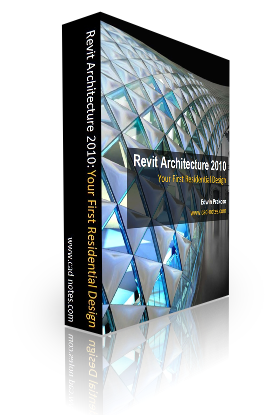
I have to ask for a price if you want to have it, but of course you can read it for free in my blog. Just consider it as an alternative way to read it. And consider that you are donating to help me keep running this site. I think it’s a reasonable price: US$ 12.5. And you can post questions in this blog if you find any problem.
At the moment, I am writing about creating another Revit tutorial series: Creating your own Revit Family. There will be more posts about Revit for sure!
MicroStation Summary
MicroStation is the last category I added. Currently it’s a tutorial series. I rewrite it as posts here, using MicroStation V8i. My MicroStation posts is still a tutorial series, but I intend to write more. Maybe tips and tricks.
You Can Help!
After maintaining this site for 7 months, I realize that I will running out of contents that I can write eventually. I really appreciate it if you can help me with the contents.
- You can submit your favorite tips. If you have any tips that you like, please submit it in that page. I don’t get many tips submitted, but surprisingly, I never knew them before! I believe that you know some other great tips. Hey, I don’t know everything!
- You can be a guest writer. If you want to write tutorials, tips, or tricks about Revit, AutoCAD, or MicroStation, I will publish it to my blog. You will be credited for sure!
- You can ask. Many tips and tutorials are written because we found problems. Just like extracting 3 points coordinate from a blog here. I’m not saying that I can answer them, but I’ll try my best to take a look and find the solution. It just sometimes in my discipline, I don’t use some tools as frequently as you do.
Have a Nice Holiday!
Finally, thank you for reading CAD Notes. I hope you enjoy following this blog.
If you haven’t subscribed to the CAD Notes newsletter, you can follow it using RSS readers or email (No SPAM, I promise!). So you won’t miss any updates in this site.
I also have created a facebook page if you are interested to join. And my Twitter, of course :).
Have a nice holiday and a prosperous new year to you!


Thank you Tary :)
Help to to promote this site to your friends who may need it, will you? ;)
Congratulations! It's amazing what you've develop. Very well done ^_^
Thanks Craig! Happy new year to you too!
7 months is still very young :) I hope CAD Notes will lasts for years… ;)
Congrats on hitting the 7 month mark! Keep up the great work!
Happy New Year!