• Home
  • Training Books
  • Subscribe to Our Email Newsletter
  • About
    • Contributors
    • Feedback
    • Contact
    • Privacy policy
    • Cookie Policy

CADnotes

CAD Tutorials and Best Practices for professionals and students

  • Featured
  • AutoCAD
    • AutoLISP
  • Revit
    • Revit Architecture Basic
    • Revit MEP Basic Tutorial
  • Inventor
  • MicroStation
    • MicroStation Basic Tutorial

MicroStation tip: How to make a non-plot level

July 28, 2011 by Edwin Prakoso Leave a Comment

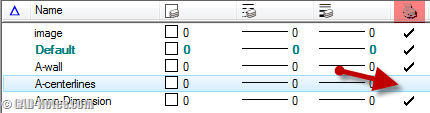
Do you want to exclude some MicroStation levels from plotting? Make them as non-plot level? Or do you want to exclude certain types of elements from plotting?

MicroStation Level and Level Attributes

March 12, 2010 by Edwin Prakoso 11 Comments

MicroStation levels are used to separate and distinguish your drawing objects. When the drawing become complex, you will need to control the object appearances. You will need to show them in different colors, different line weight, and different line style… or you may need to show/hide objects in a certain category. You can use levels […]

Featured

6 Reasons Why You Should Pay More Attention to AutoCAD Command Line

AutoCAD Command Line is an essential feature in AutoCAD. It does not just allow you to work faster, but you can find some gems there!

Recent Articles

  • Placing Views on Sheet Efficiently with Saved Position
  • Autodesk Forma: One Platform to Rule the AEC Lifecycle
  • Accessing Autodesk Docs Files from Windows Explorer

Advertisement

New on CADnotes

  • Placing Views on Sheet Efficiently with Saved Position
  • Autodesk Forma: One Platform to Rule the AEC Lifecycle
  • Accessing Autodesk Docs Files from Windows Explorer
  • The Evolution of BIM: From 3D Models to Information Management
  • The Misconception of CAD to BIM

Meet the Authors

avatar for
avatar for
avatar for
avatar for
avatar for
avatar for

Get Connected

CADnotes on FacebookCADnotes on InstagramCADnotes on TwitterCADnotes on YouTube

© 2009 – 2026 CADnotes · Feedback · Privacy Policy · Become an affiliate