
• Home
  • Training Books
  • Subscribe to Our Email Newsletter
  • About
    • Contributors
    • Feedback
    • Contact
    • Privacy policy
    • Cookie Policy

CADnotes

CAD Tutorials and Best Practices for professionals and students

  • Featured
  • AutoCAD
    • AutoLISP
  • Revit
    • Revit Architecture Basic
    • Revit MEP Basic Tutorial
  • Inventor
  • MicroStation
    • MicroStation Basic Tutorial

Sharing files and designs with Autodesk 360

January 21, 2014 by Edwin Prakoso 4 Comments

If you have Autodesk account, you can have free 5GB online storage. You can use it to share large files or provide 3D viewers. You can showcase your design on your company website or your personal portfolio!

How to compare AutoCAD drawings

August 8, 2012 by Edwin Prakoso 2 Comments

Do you need to compare your design between revisions? You can do it using DWF as intermediate format. But do you know that you can do it within Vault and within AutoCAD?

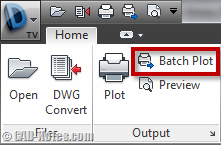
Do you know that you can plot using TrueView?
June 3, 2011 by Edwin Prakoso 4 Comments

Need to plot DWG files? Or create DWF, PDF, or sketch images from DWG? If your AutoCAD doesn’t support it, try to use TrueView!

Featured

What’s New in Revit 2021 – part 2: Architecture

See what’s new in Revit 2021 for architectural discipline. There is a long-waited feature: the slanted wall! What else?

Recent Articles

  • Why BIM Dimensions (3D, 4D, 5D) Are No Longer Relevant
  • Bridge: Controlled Data Sharing Between Stakeholders
  • Autodesk Construction Cloud Evolution

Advertisement

New on CADnotes

  • Why BIM Dimensions (3D, 4D, 5D) Are No Longer Relevant
  • Bridge: Controlled Data Sharing Between Stakeholders
  • Autodesk Construction Cloud Evolution
  • Autodesk Construction Cloud Activity Log
  • Exporting AutoCAD Plant 3D Model to Navisworks

Meet the Authors

avatar for
avatar for
avatar for
avatar for
avatar for
avatar for

Get Connected

CADnotes on FacebookCADnotes on InstagramCADnotes on TwitterCADnotes on YouTube

© 2009 – 2026 CADnotes · Feedback · Privacy Policy · Become an affiliate