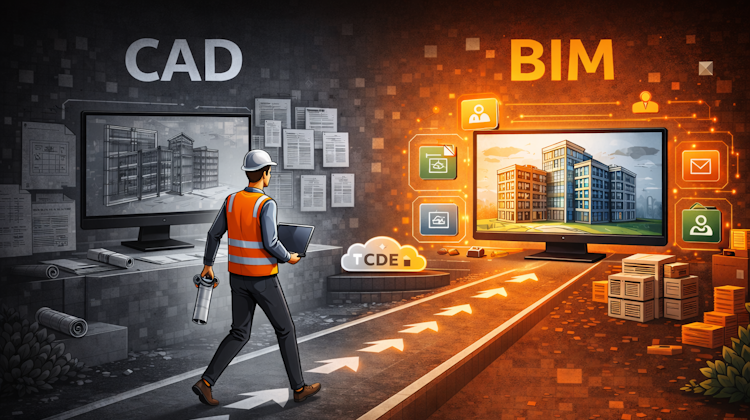
Many believe they have moved from CAD to BIM. In reality, they may have only changed software, not how information is managed. It’s a common misunderstanding: BIM is not about better drawings, it’s about managing information. This article explains what really changes, and what does not.
Featured
Latest articles
Placing Views on Sheet Efficiently with Saved Position
You can align multiple views position on different sheets automatically with saved position in Revit 2026
Autodesk Forma: One Platform to Rule the AEC Lifecycle
Autodesk Construction Cloud is rebranding to Forma on March 24, 2026. Discover what these name changes mean for AEC workflows, the ‘One Platform’ strategy for the entire lifecycle.
Accessing Autodesk Docs Files from Windows Explorer
If you have Autodesk software installed on your computer, you may have noticed this icon in your system tray. That icon belongs to Autodesk Desktop Connector. a feature that plays an important role in modern CAD/BIM workflows. What Is Desktop Connector? Autodesk Desktop Connector is an application that creates a virtual drive on your computer, […]
The Evolution of BIM: From 3D Models to Information Management
What we call BIM today is the result of a long evolution; from early object-based 3D models in the 1990s, to data-rich modeling in the 2000s, collaborative processes in the 2010s, and finally structured information management under PAS 1192 and ISO 19650. This article traces how BIM gradually shifted its focus away from geometry and software, toward managing information consistently, collaboratively, and across the entire asset lifecycle.
Revit Pattern Alignment
Ever noticed your Revit hatch patterns looking “off” when walls are rotated? It’s how pattern orientation really works. This article breaks down why drafting and model patterns behave differently, and how a single setting can make your drawings cleaner and more readable.


