We often hear the jargon “CAD to BIM”, where BIM is often described as the “replacement” for CAD. This sounds reasonable, especially when BIM software looks more advanced and produces 3D models. However, this idea is often misleading. When you think BIM is just a software switch, like from AutoCAD to Revit, then this is not the right CAD-to-BIM perception.
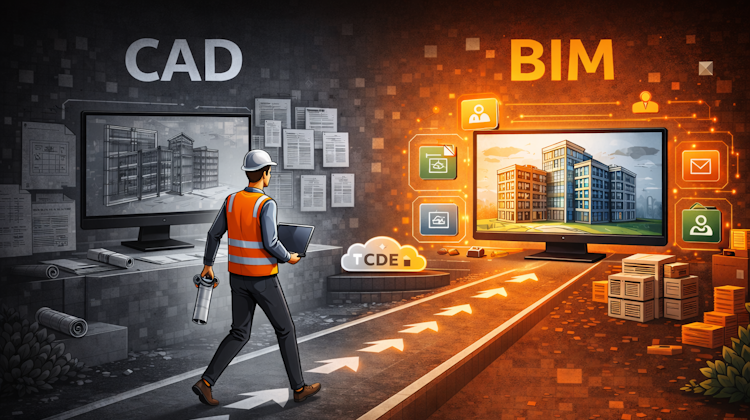
CAD and BIM are not competing tools
They serve different purposes and operate at different levels of responsibility in a project. Understanding this difference helps you make better decisions when planning and sets expectations to move to BIM.
CAD: Creating Pieces of Project Information
CAD software, recognizable by drawings, plans, and models, has one main job: creating design information.
Whether it is:
- A 2D drawing
- A 3D geometric model
- A technical detail or schematic
CAD produces pieces of information that describe what is being designed or built.
However, CAD files are usually:
- Stand-alone documents
- Managed by individuals or disciplines
- Dependent on people to interpret the meaning and maintain consistency
In simple terms, CAD is for producing part of the information but not for managing how it fits into the bigger picture.
BIM: Managing Information, Not Just Models
BIM, as defined in ISO 19650, is not primarily about 3D models or software. BIM is about how information is organized, controlled, and trusted across a project and over time.
Instead of asking: “How do we draw this?”
BIM asks: “What information do we need, who needs it, and when?”
BIM ensures that:
- Information is created for a clear purpose
- Everyone works from the same source of truth
- Information is reviewed, approved, and tracked
- Data remains useful beyond design, into construction and operation
This is why BIM is often described as information management rather than design automation.
How CAD Fits Inside a BIM Process
ISO 19650 does not eliminate CAD. Instead, it assumes that many different tools will be used to create information.
In a BIM-based project:
- CAD drawings are still created
- Those drawings become managed project information
- Their status (draft, shared, approved) is clearly defined
- Their use is controlled through a shared system
In other words, CAD creates information, and BIM manages it.
When BIM Software Is Used Like CAD
An important point we need to understand is that using BIM software does not automatically mean you are “doing BIM.”
If BIM-capable software is used only to:
- Draw geometry
- Produce drawings
- Ignore data quality, responsibility, and collaboration
Then it is no different from CAD. The value of BIM lies in managing information, not in producing more detailed models.
The Role of a Common Data Environment (CDE)
ISO 19650 introduces the concept of a Common Data Environment, a shared system where all project information is stored, reviewed, and approved.
Think of it as:
- A single, trusted place for project information
- Clear rules about what can be used and when
- Full traceability of decisions and changes
Both CAD files and BIM models live in this environment. What matters is not the file type, but whether the information is controlled and reliable.
The Real Change Is How You Work, Not a Technical Upgrade
BIM adoption is often mistaken for a software upgrade. In reality, it is a change in how organizations treat information.
The shift is:
- From drawings to information assets
- From individual files to shared responsibility
- From personal judgment to defined processes
CAD remains a critical production tool. BIM introduces the structure that allows information to be reused, trusted, and leveraged across the asset lifecycle.
To Sum Up
A Simple Way to Remember the Difference
- CAD creates information
- BIM manages information
- BIM software without information management is still CAD
- BIM benefits comes from control, clarity, and trust in data
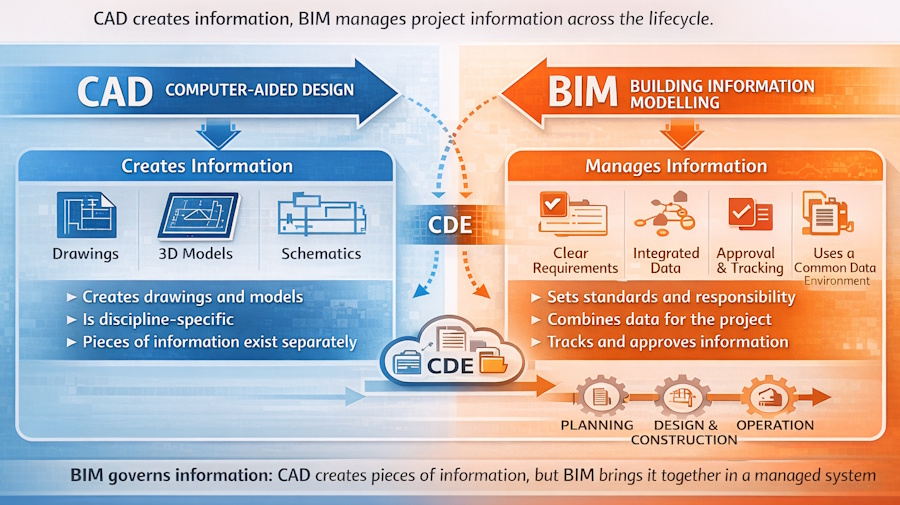
BIM does not replace CAD. It replaces unmanaged information with governed, reliable information, enabling you to make better decisions throughout the project lifecycle.


