• Home
  • Training Books
  • Subscribe to Our Email Newsletter
  • About
    • Contributors
    • Feedback
    • Contact
    • Privacy policy
    • Cookie Policy

CADnotes

CAD Tutorials and Best Practices for professionals and students

  • Featured
  • AutoCAD
    • AutoLISP
  • Revit
    • Revit Architecture Basic
    • Revit MEP Basic Tutorial
  • Inventor
  • MicroStation
    • MicroStation Basic Tutorial
You are here: Home / AutoCAD / Do you know how to use AutoCAD snap parallel?

Do you know how to use AutoCAD snap parallel?

July 5, 2011 by Edwin Prakoso 2 Comments

I’m surprised that I don’t. At least until I see this thread on CADTutor. And it’s kind of relieved that many of the senior members don’t know it.

You can see how it works from nice animation from alanjt.
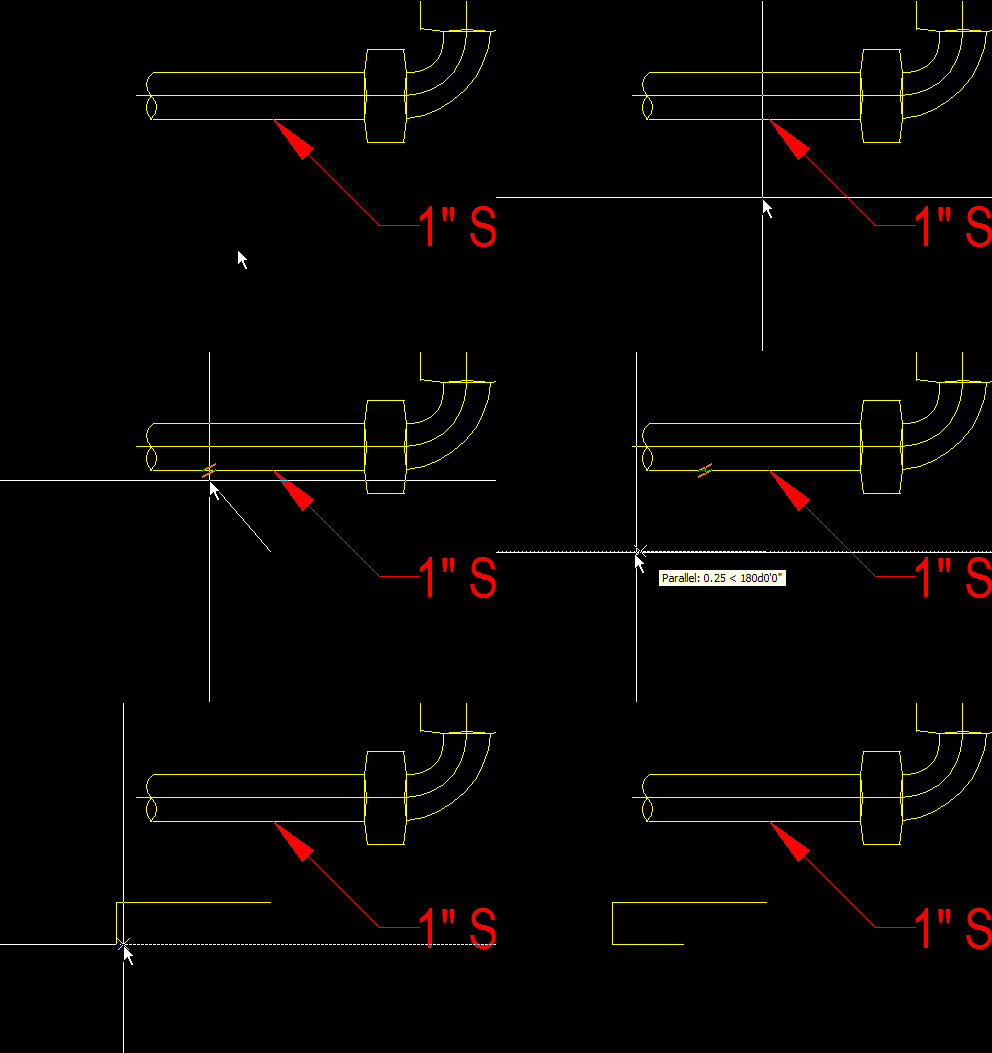
par

image by: alanjt from CADTutor

Still doesn’t work?

So how it works?

Activate line/polyline

Activate parallel object snap
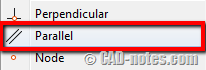
parallel_osnap

I thought we need to pick object/point after we activate the object snap. Just like when we’re working with other Osnaps. But no! You only need to hover above the line to make it as reference.

You should see the snap icon at your pointer.
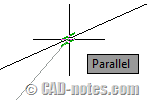
parallel_osnap_icon

Now move away your pointer until you see the rubber band line.

You can click a point to create the parallel line now.

I know it’s quite basic. But you might need it.

Share the knowledge:

About Edwin Prakoso

I work as a Sr. Consultant in PT Cipta Satria Informatika. I've been using AutoCAD since R14 and Revit since Revit Building 9. I occasionally write for AUGIWorld magazine and I am also active in Autodesk discussion forum. I'm a member of Autodesk Expert Elite, an appreciation for individuals who give contributions to the Autodesk community.
Connect with me on twitter or LinkedIn.

Filed Under: AutoCAD

0 0 votes
Article Rating
Subscribe
Login
Notify of
guest

guest

This site uses Akismet to reduce spam. Learn how your comment data is processed.

2 Comments
Inline Feedbacks
View all comments
anikarei
anikarei
8 years ago

Thank you. I was clicking the parallel snap icon and couldn’t get it to work. Seriously, this is a game changer for me.

0
Reply
haripriya
haripriya
14 years ago

2007 autocad osnap,ortho, polar ……instructions and to draw the diagram in absolute co.ardinate system without ortho n polar

0
Reply
wpdiscuz   wpDiscuz

Featured

aseptic tank

Easy Design with Master Skeleton Concept in Inventor

Are you familiar with master skeleton design concept in Inventor? Read how to do it in our tutorial here! From sketches to complete assembly.

Recent Articles

  • Accessing Autodesk Docs Files from Windows Explorer
  • The Evolution of BIM: From 3D Models to Information Management
  • The Misconception of CAD to BIM

Advertisement

New on CADnotes

  • Accessing Autodesk Docs Files from Windows Explorer
  • The Evolution of BIM: From 3D Models to Information Management
  • The Misconception of CAD to BIM
  • Revit Pattern Alignment
  • Why BIM Dimensions (3D, 4D, 5D) Are No Longer Relevant

Meet the Authors

avatar for
avatar for
avatar for
avatar for
avatar for
avatar for

Get Connected

CADnotes on FacebookCADnotes on InstagramCADnotes on TwitterCADnotes on YouTube

© 2009 – 2026 CADnotes · Feedback · Privacy Policy · Become an affiliate

wpDiscuz