DWG TrueView is probably less popular than AutoCAD, even it’s free. Yes, it’s free. Autodesk has several applications that we can use for free.
Here are things that we can do with it:
- As free DWG and DXF viewer. It’s easy to guess from it’s name, right?
- As file converter. If you don’t have latest version of AutoCAD, and your version can’t open newer DWG files, you can use it to convert those DWG files to your version.
- To plot DWG and DXF files. This is probably the least reason why people use TrueView. But you may change your mind after reading this.
In this post, I would like to emphasize on it’s plotting ability.
Batch plot ability
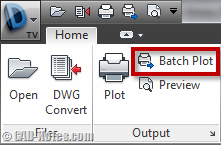
We can use TrueView to plot DWG files to everything AutoCAD support. It also can do batch plotting if you use page setup properly.
So seriously, if you haven’t use it, you should consider using AutoCAD layout now.
Create DWF and PDF
In older version (don’t remember which one), you can’t plot to DWF(x) and PDF using AutoCAD plotter driver. Sure we can find free PDF maker/creator.
But AutoCAD plotter is not the same. Do you know that we can save layers information in PDF files?
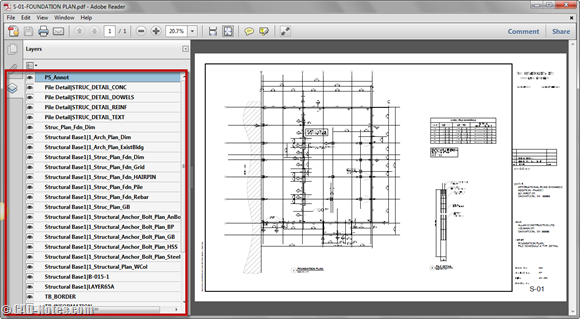
I’ve seen some company require to provide these kind of documents. So if you have old version of AutoCAD, you’re not doomed.
You can use TrueView to create PDF and DWF, even your version doesn’t support it.
Plotting to image
It also can plot DWG files to image. The default plotters available are to create JPEG and PNG. Use these plotter to generate images for presentation. It’s better than ‘screen captured’ your drawing.
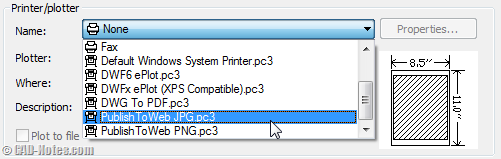
If you want to use other file format, you can add bitmap (BMP), TIFF, or TGA plotters. They produce uncompressed images.
And you can also produce ‘sketch look like’ image by plotting, because the visual style is available. Like in AutoCAD, you can plot your drawing using different visual styles. So plot your drawing to sketches, wireframe, or conceptual style is possible.
Very useful, isn’t it?
TrueView is a freeware. It’s free, but can do some task that older AutoCAD can’t. So if you haven’t able to upgrade yet, and need to do all above, you can consider TrueView to save you.
Have you used TrueView? What do you use it for?


Drawing files have a wide range of file formats, known as DWG, DXF, DWF, DGN etc. Relating to this all formats, several other CAD Software has evolved in order to provide a platform for accessing these varieties of Drawing File formats, DWG Viewers, DXF Viewers, DWF Viewers.
Professional CAD Drafting Software is the most common in them. In this article, our discussing focus point will be on DXF File format and the DXF Viewer available for it.
https://www.actcad.com/
Can you plot a sheet set from the True Viewer?
Please tell me, can i convert a drawing into pdf with layers in autocad 2009 and how.
Hi Tsk,
Try to read this: https://www.cad-notes.com/2012/06/how-to-add-autocad-l…