• Home
  • Training Books
  • Subscribe to Our Email Newsletter
  • About
    • Contributors
    • Feedback
    • Contact
    • Privacy policy
    • Cookie Policy

CADnotes

CAD Tutorials and Best Practices for professionals and students

  • Featured
  • AutoCAD
    • AutoLISP
  • Revit
    • Revit Architecture Basic
    • Revit MEP Basic Tutorial
  • Inventor
  • MicroStation
    • MicroStation Basic Tutorial

Autodesk 360 sync secret revealed: how does it work?

May 24, 2012 by Edwin Prakoso 7 Comments

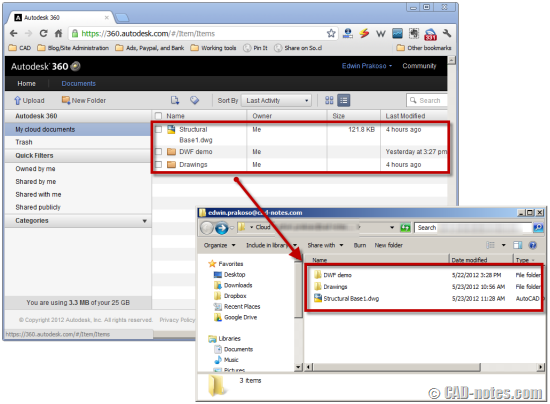
So how does Autodesk 360 work with AutoCAD? Do you really save file directly to cloud? Can we work with slow or without internet connection? CAD notes reveal the secret so you can work comfortably with it!

AutoCAD 2013: how to choose which customization to sync
May 1, 2012 by Edwin Prakoso 6 Comments

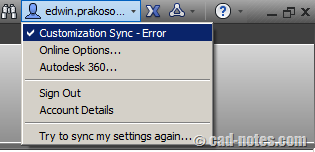
Do see customization sync message? It was because you have different settings on your computer. So how you can fix this sync settings? Read it here!

What’s new in AutoCAD 2013: Autodesk 360 integration
April 30, 2012 by Edwin Prakoso Leave a Comment

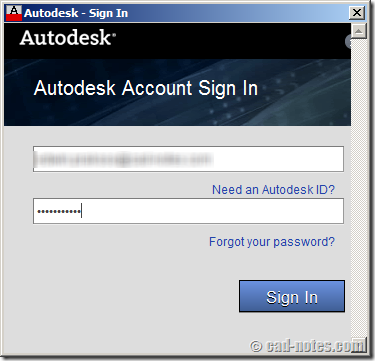
Using multiple computers? In AutoCAD 2013 now you can sync settings automatically between computers using Autodesk 360 account. You can also automatically upload your files. Read more here.

Featured

Autodesk Construction Cloud Evolution

Autodesk Construction Cloud (ACC) represents the evolution of Autodesk’s CDE, from the fragmented BIM 360 Classic, through BIM 360 Next Gen with centralized file storage, to the fully integrated Unified Platform. Read the Autodesk Construction Cloud evolution in this post!

Recent Articles

  • Placing Views on Sheet Efficiently with Saved Position
  • Autodesk Forma: One Platform to Rule the AEC Lifecycle
  • Accessing Autodesk Docs Files from Windows Explorer

Advertisement

New on CADnotes

  • Placing Views on Sheet Efficiently with Saved Position
  • Autodesk Forma: One Platform to Rule the AEC Lifecycle
  • Accessing Autodesk Docs Files from Windows Explorer
  • The Evolution of BIM: From 3D Models to Information Management
  • The Misconception of CAD to BIM

Meet the Authors

avatar for
avatar for
avatar for
avatar for
avatar for
avatar for

Get Connected

CADnotes on FacebookCADnotes on InstagramCADnotes on TwitterCADnotes on YouTube

© 2009 – 2026 CADnotes · Feedback · Privacy Policy · Become an affiliate