We have learned the basic of Revit families. You probably have found that creating Revit families is just a repetitive process. You create parameters, create a work plane, create a solid/void form, and create sketch. This time, we will create a door family. This door family will have solid and void forms, and you will […]
Archives for February 2010
AutoCAD Installation Troubleshoot
A checklist to check why your AutoCAD installation failed.
AutoCAD Plotting Problem

Last week, I have two people called me and mentioned that they have problem with plotting. Both of them use AutoCAD 2010. Just in case you have similar problem, this might can help. AutoCAD Doesn’t Plot Properly, Plotting Different Area of Drawings The first issue reported is AutoCAD doesn’t plot as expected. They see the […]
AutoCAD Troubleshoot: Block Attributes Won’t stretched
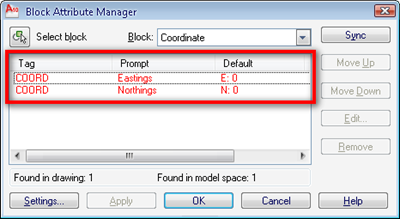
I have someone asking me why his dynamic block is not working as he expected. He created his own coordinate label based on this tutorial on CAD Notes. Only the northing coordinate label move, and it move strangely unpredictable. As you probably have the same problem, I decided to publish it here. First I suspected […]
Modifying MicroStation Elements
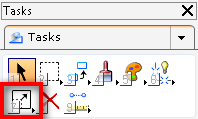
When we draw in MicroStation, we will need to do modifications. Either because we make mistakes or because it is easier and faster to just draw it and modify the drawing later. Here are the tools you can find in modify groups. Modify Element This is the basic modification tool. We only can modify one […]
Revit Sketching Tricks – Closed Polygon
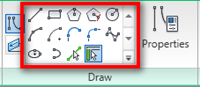
Sketching in Revit is quite different with drafting in AutoCAD. It can be very tricky. In this article, we will explore some tricks we can use for sketching. There are many tools that require you to create sketch: railing path, floor boundary, ceiling, detailing and drafting, creating families, etc. You need to sketch! In this […]
Placing Wall and Material Tag
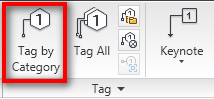
I had this question a few days ago: can we add tags to Revit walls? This question come up because the user always automatically tag his doors and windows. Door tags can be placed automatically during door placement. But not for walls. For many type of objects, we need to add tags manually. You can […]


